
Using Career Agent to automate your job search
Career Agent is your AI assistant that knows your profile, skills, and preferences. It helps you find jobs, track applications, and get career advice—all through a conversational chat interface.
Before you begin: Career Agent requires a Lite membership ($15/mo) or higher. Automated workflows require a Plus membership or above.
What Career Agent does
Career Agent combines conversational AI with your career dashboard tools. You can:
Ask for job recommendations matching your profile
Automatically track promising opportunities
Set up recurring job searches that run on a schedule
Access your Job Tracker, Resume Builder, and Career CRM in one place
Organize career conversations into projects
Accessing Career Agent
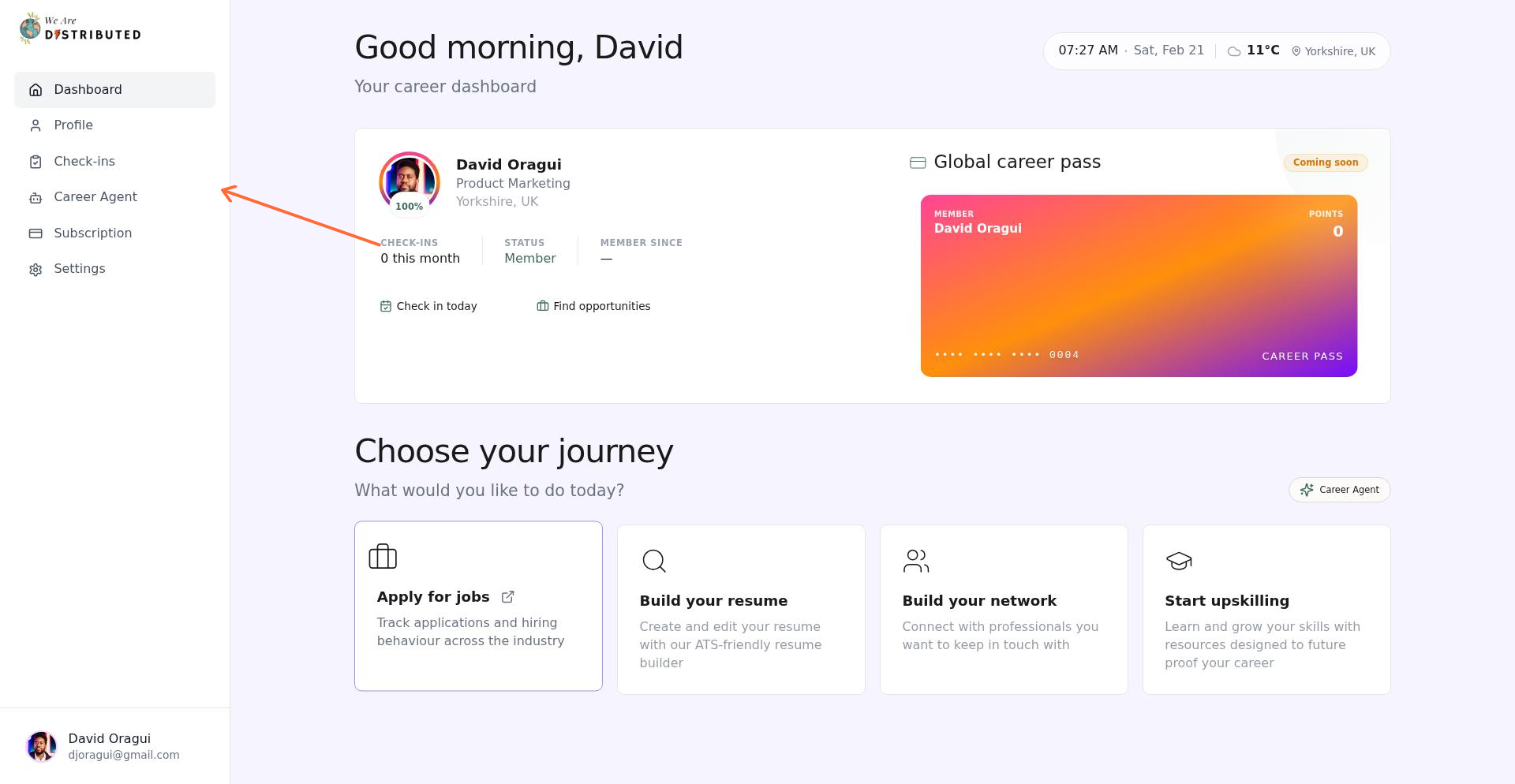
From your dashboard, click the bot icon labeled "Career Agent" in the left sidebar. This opens the Career Agent interface at /agent.
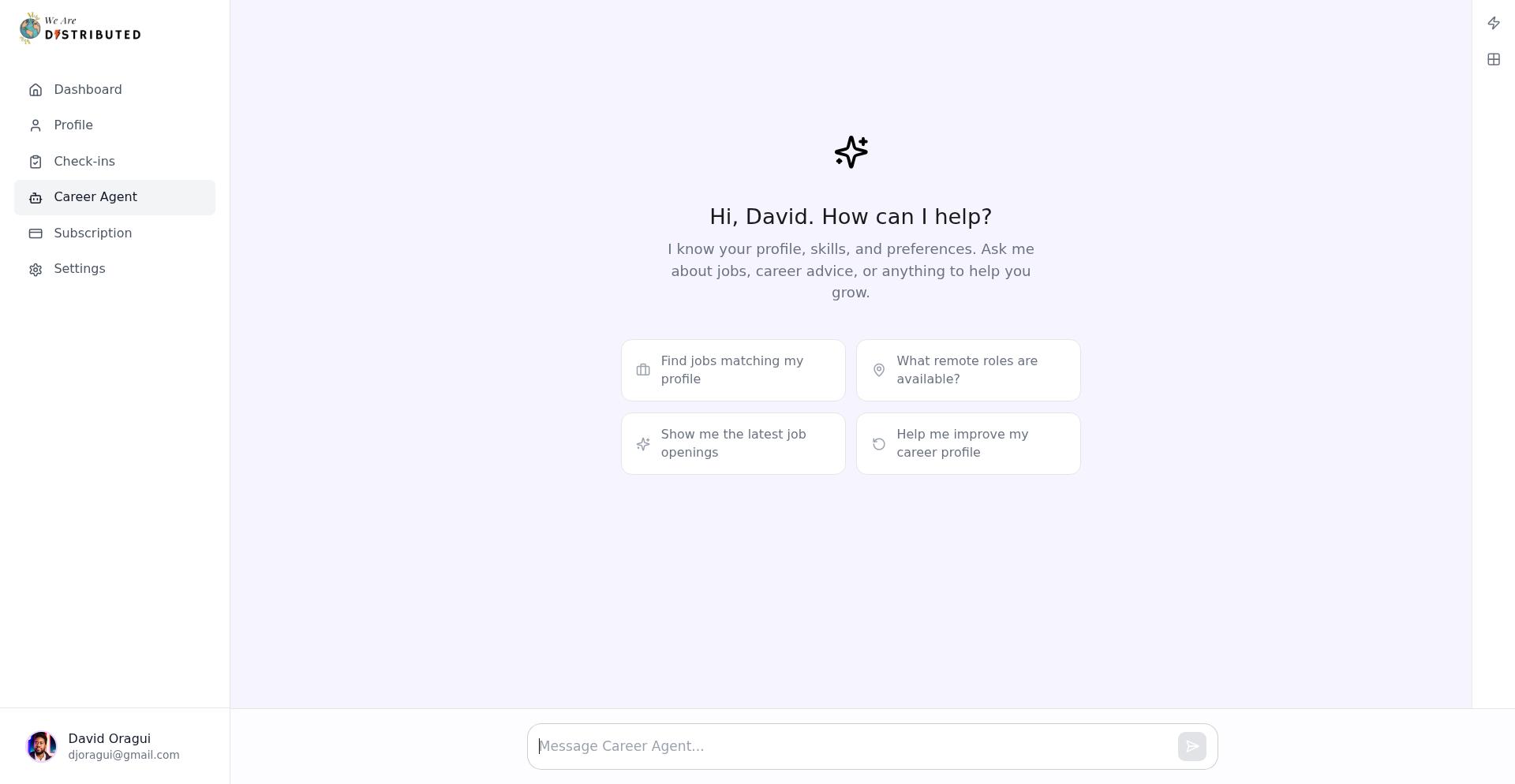
You'll see suggestion chips like "Find jobs matching my profile" to get started quickly—click any chip to send that prompt automatically.
Using the 'Find suitable jobs' recipe
The "Find suitable jobs" recipe is a pre-built workflow that searches for positions matching your profile and automatically tracks strong matches.
How it works:
The recipe analyzes your skills, experience, and job title preferences
It searches across all hiring regions using relevant keywords
Strong matches are automatically added to your Job Tracker
You receive a summary with job cards showing title, company, skills, and salary/location badges
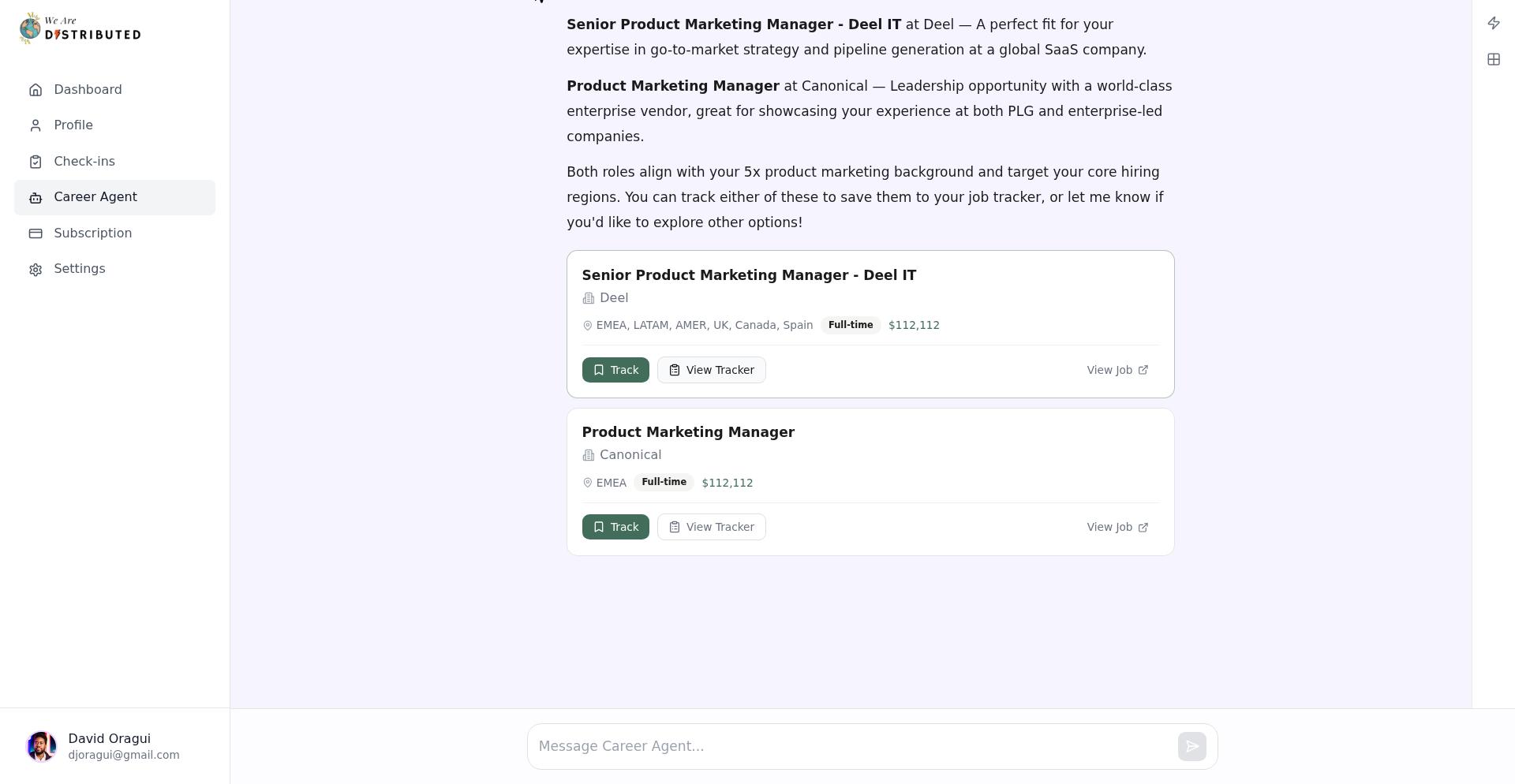
Job cards include a "Track" button to save opportunities and a "View Job" link to open the full listing.
Setting up automated workflows
With a Plus membership or higher, you can schedule the "Find suitable jobs" recipe to run automatically.
To create a workflow:
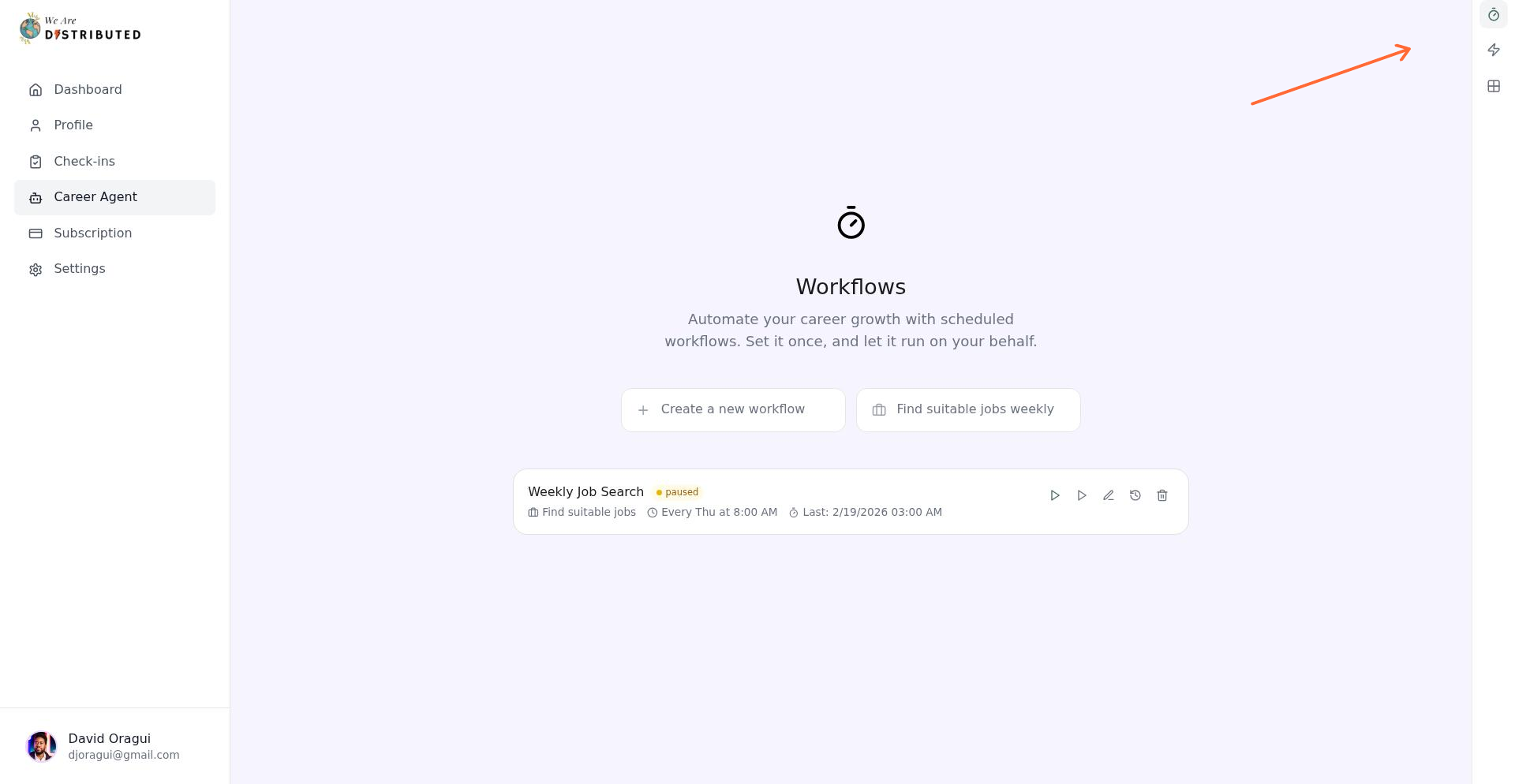
In Career Agent, open the sidebar and click "Workflows"
Select the "Find suitable jobs" recipe
Choose a schedule preset (like "Weekly") or create a custom schedule by selecting days and time
Toggle "Activate immediately" if you want it to start right away
Save your workflow
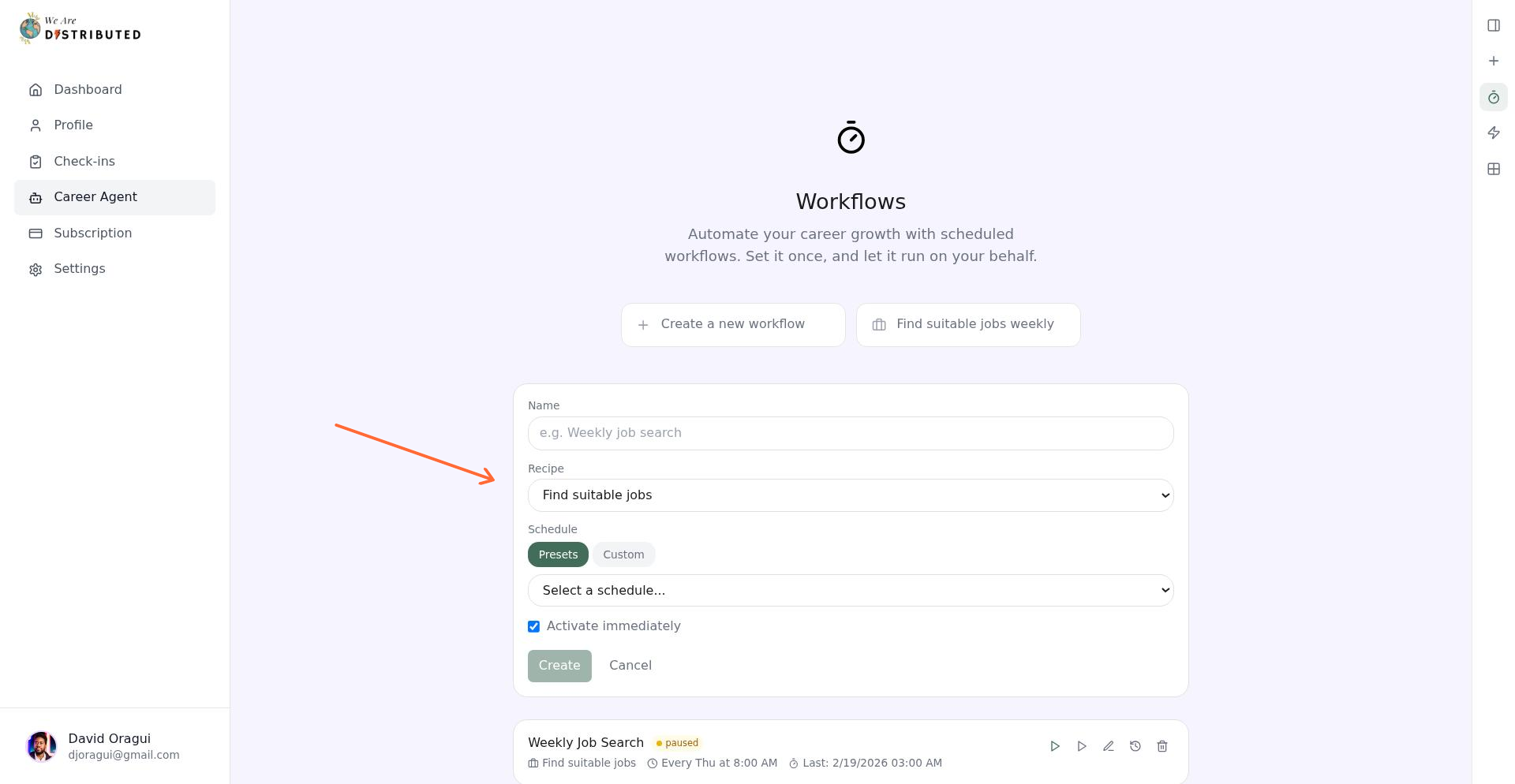
Your workflow will post chat notifications with summaries and job cards each time it runs. For example: "Workflow 'Weekly Job Search' completed—Found 12 jobs, tracked 3."
Managing your workflows
The Workflows tab shows all your automated searches with their status (Active, Paused, or Error) and last run time.
Available controls:
Run now: Trigger the workflow immediately
Pause/Resume: Stop or restart scheduled runs
Edit: Change the schedule or recipe settings
View History: See timestamps, results, and any errors from past runs
Delete: Remove the workflow entirely
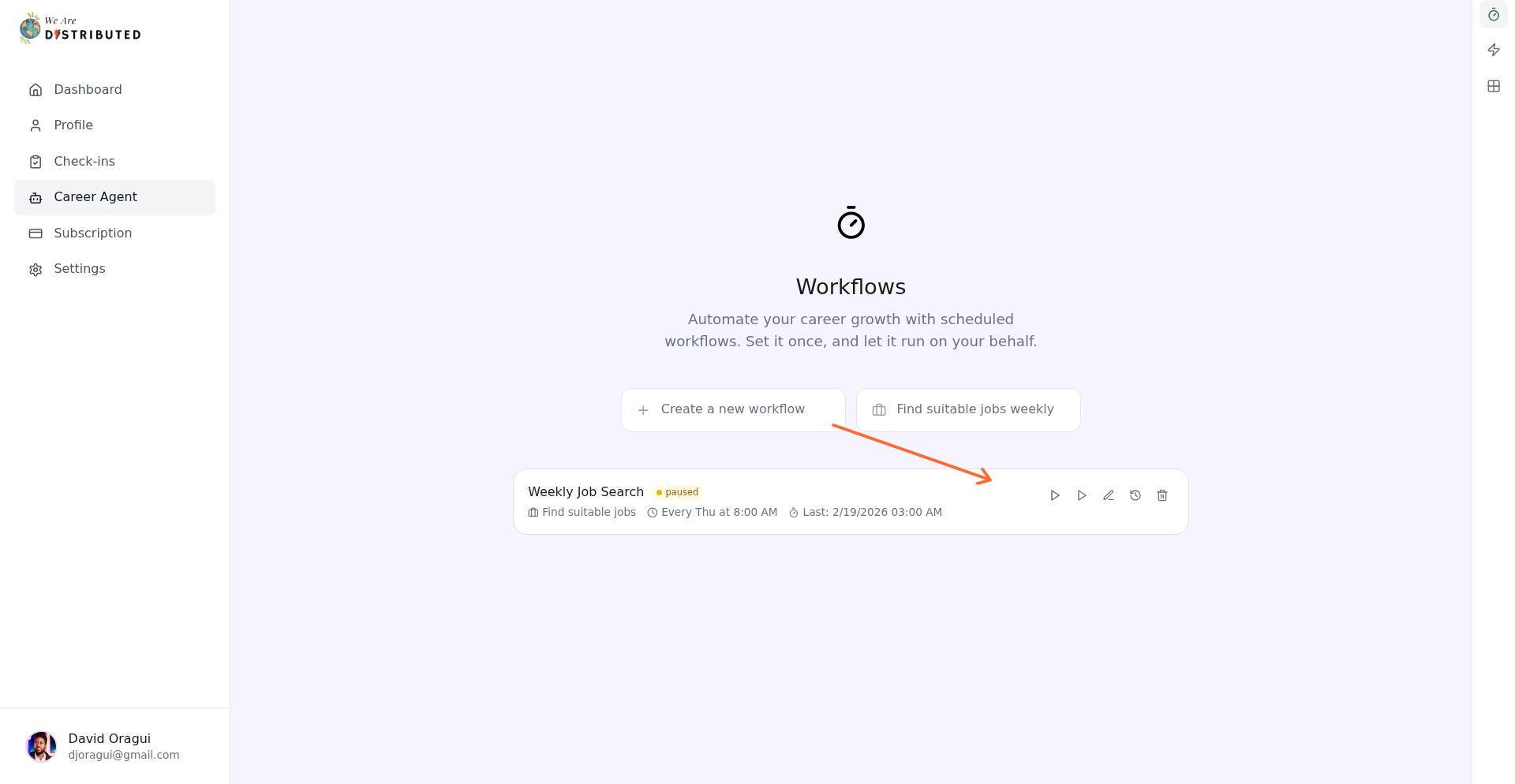
Workflows reduce manual searching and help you stay on top of new remote opportunities without checking the job board every day.
Using projects to organize conversations
Career Agent lets you create up to 5 projects on Lite (unlimited on Plus and above). Projects help you separate different job searches or career topics.
To create a project, use the sidebar to add a new project, name it, and move relevant conversations into it.
Plan requirements
Free: No access to Career Agent
Lite ($15/mo): Full chat access, up to 5 projects, access to Apps (Job Tracker, Resume Builder, Career CRM)
Plus and higher: Unlimited projects, automated workflows, advanced actions library
If you're on a free plan, you'll see an "Upgrade to Lite" banner when trying to access Career Agent.