
Set up SMS and email job notifications
Career Agent can automatically find strong job matches and send you notifications via email or SMS. You'll get a digest with up to 10 top matches each time the workflow runs.
Before you begin: Add your phone number to your profile to receive SMS notifications. Email notifications work without additional setup.
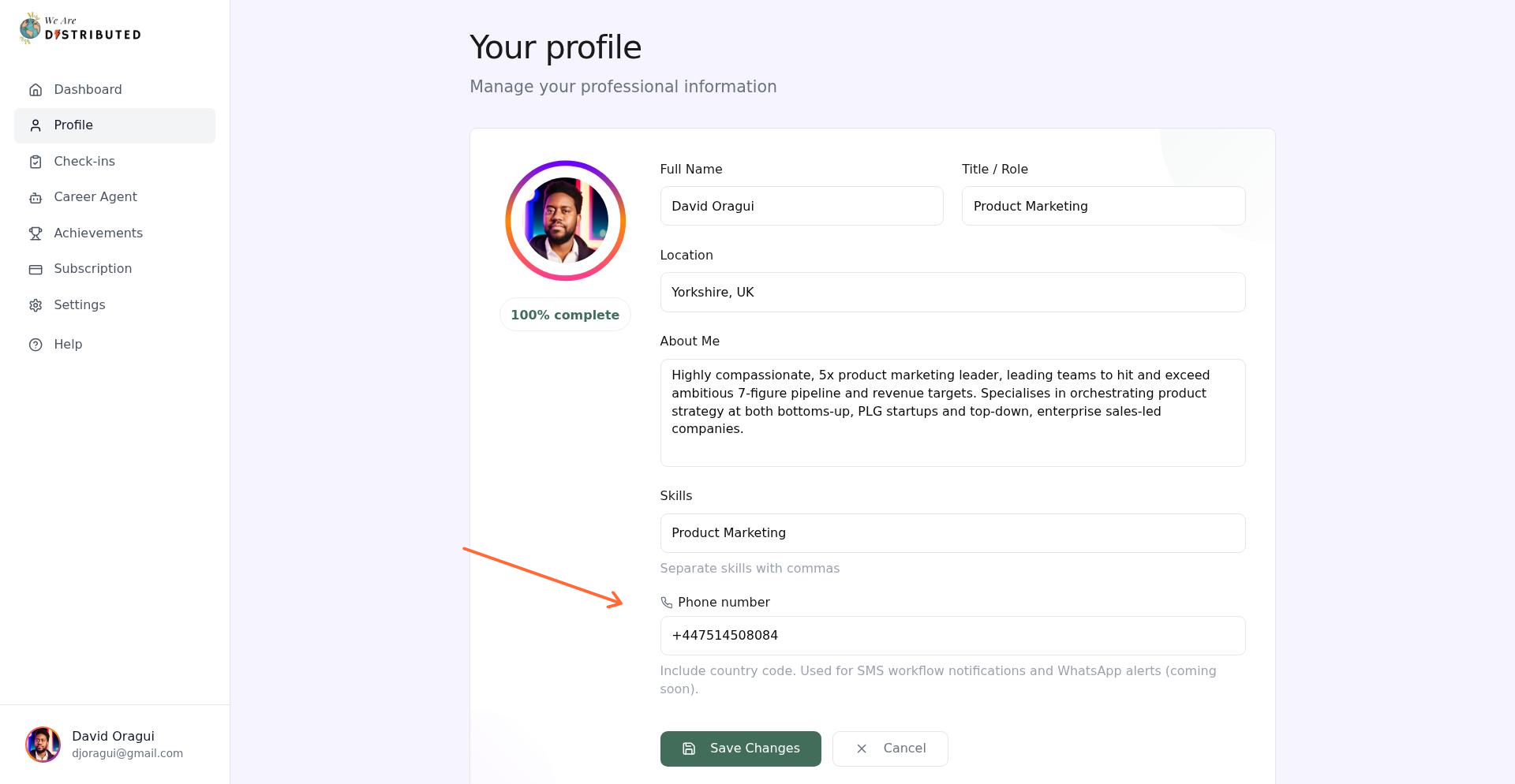
Add your phone number
If you want SMS notifications, add your phone number to your profile first.
Go to your Profile page from the sidebar.
Click Edit profile.
Enter your phone number with country code (e.g., +447911123456) in the Phone number field.
Click Save Changes.
Create a notification workflow
Set up email or SMS job alerts through Career Agent workflows.
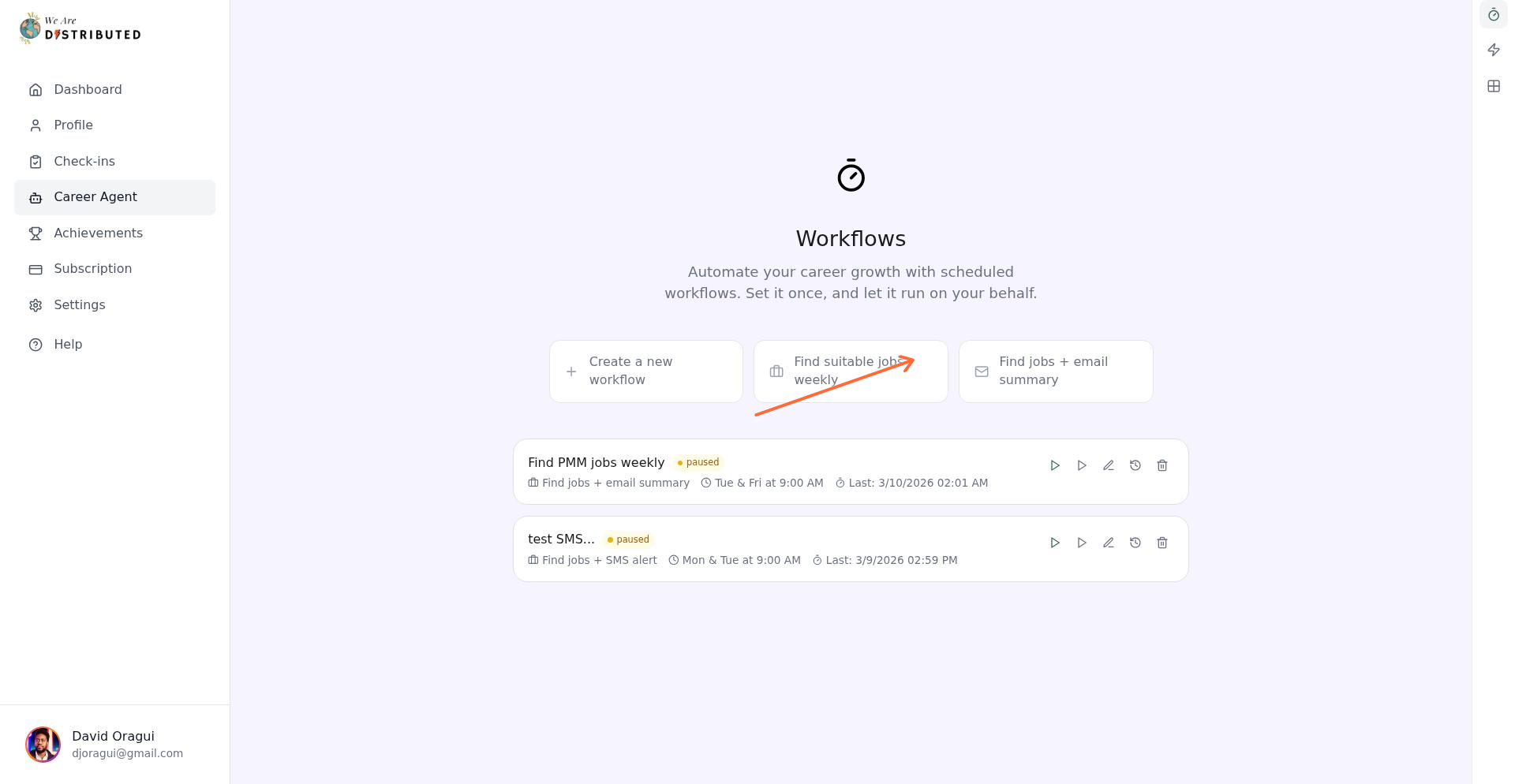
Go to Career Agent from the sidebar.
In the Workflows section, choose either:
Find jobs + email summary for email notifications
Find jobs + SMS alert for text message notifications
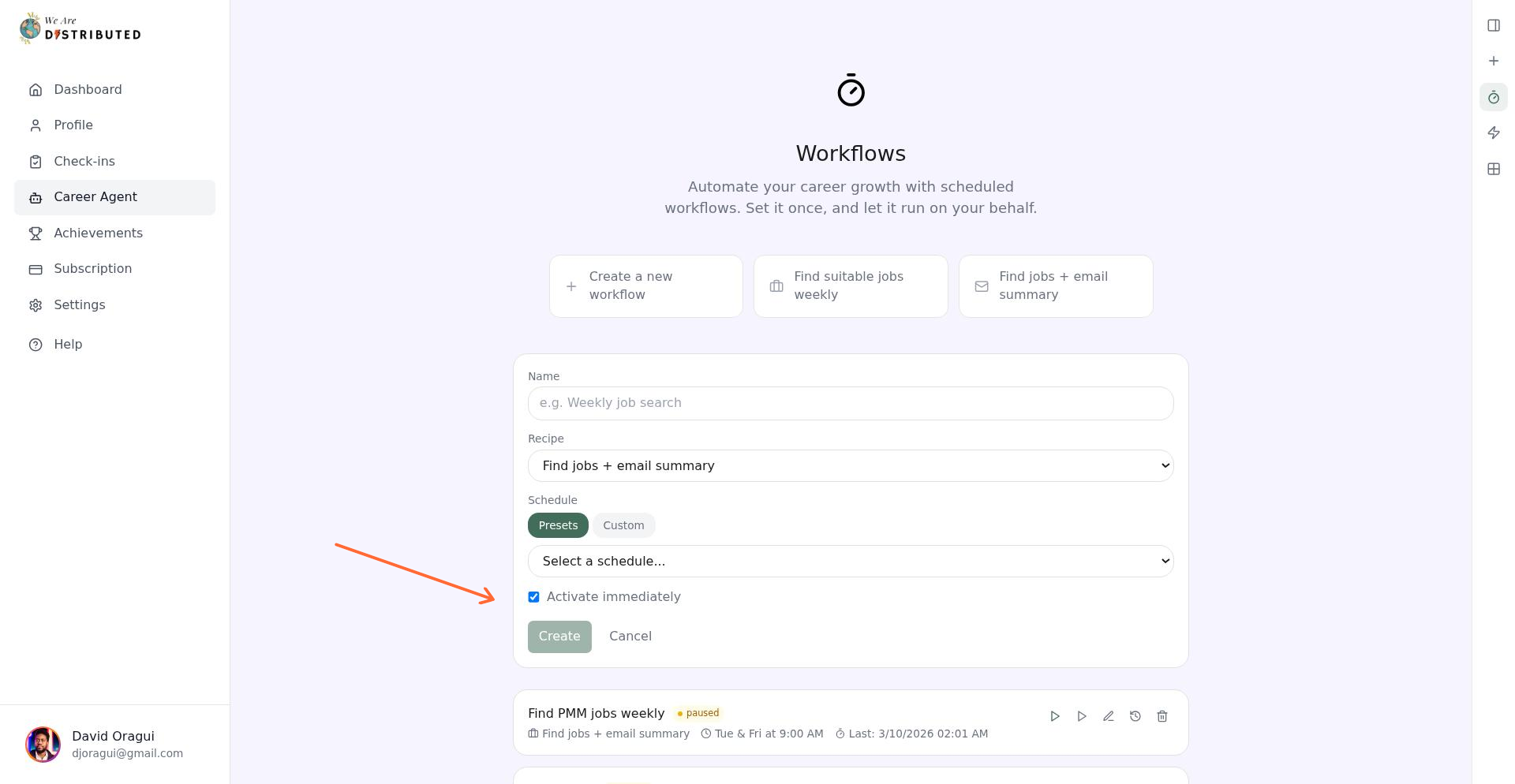
Give your workflow a name (e.g., "Weekly job search").
Select a schedule—choose from presets like daily or weekly, or set a custom schedule.
Check Activate immediately to start receiving notifications right away.
Click Create.
How match criteria work
Career Agent searches across all hiring regions using your job title as keywords, then filters to your strongest matches based on your skills, title, and experience level. Each workflow run tracks up to 10 jobs automatically added to your Job Tracker.
Notification limits and filtering
Career Agent can track up to 10 job opportunities per workflow run. If more jobs match your search, it keeps the strongest matches and does not add every result to your Job Tracker.
Email and SMS alerts are also filtered for relevance. You may receive fewer notifications than the total number of jobs scanned because Career Agent only sends alerts when it finds strong matches based on your profile and search criteria.
Notification delivery is also more reliable for jobs with long descriptions. Career Agent now handles longer job posts more effectively before sending SMS and email summaries, which reduces missed alerts caused by oversized or incomplete job content.
Manage your workflows
Once a workflow is active, you can control it from the Workflows tab:
Run now: Trigger an immediate search and notification.
Pause/Resume: Stop notifications temporarily without deleting the workflow.
View history: See past workflow runs and results.
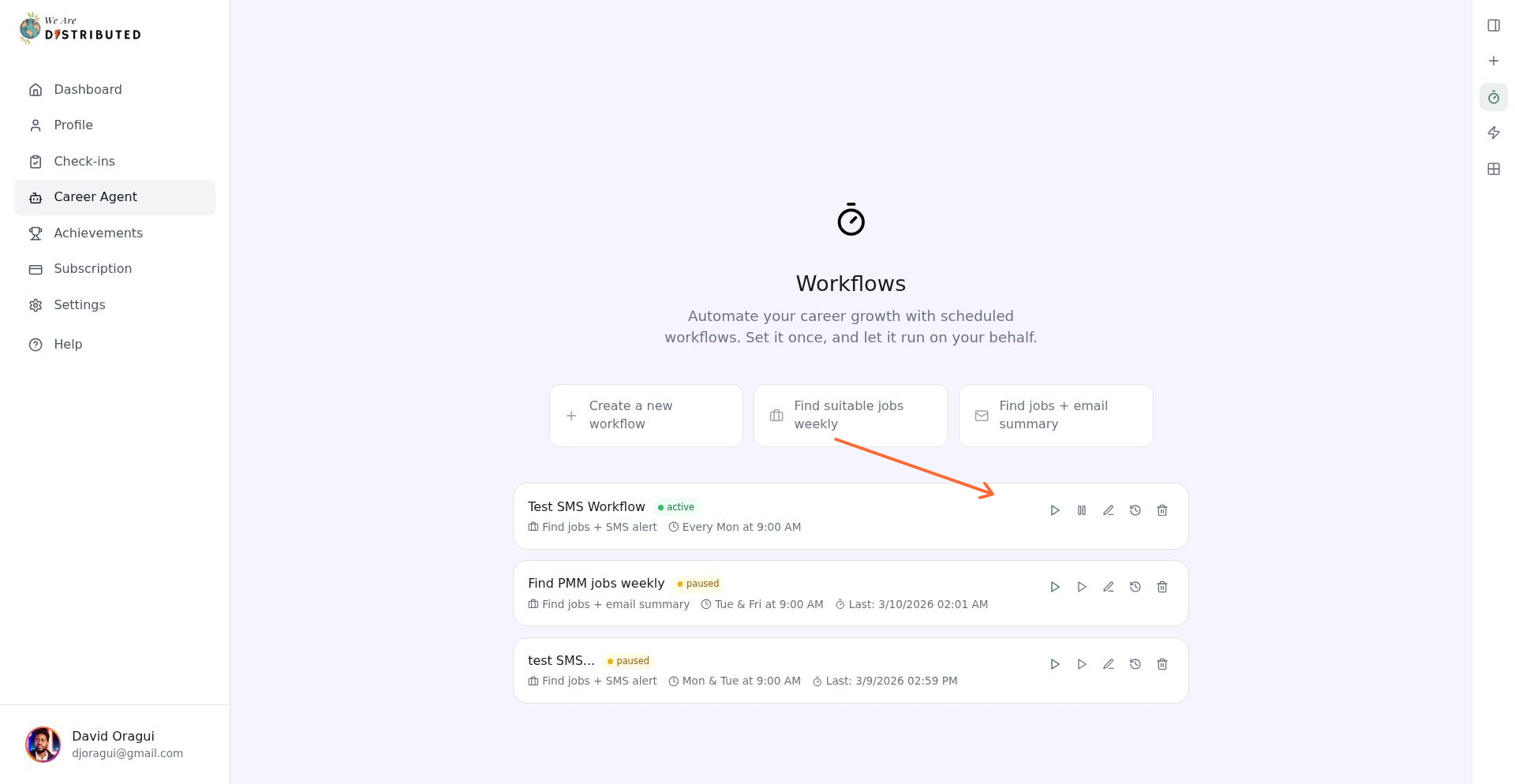
You can create multiple workflows with different schedules. For example, set up a daily SMS alert for urgent matches and a weekly email digest for a broader review.
Understanding your notifications
Email notifications include:
Total matches found
Jobs automatically tracked
Top 10 matches with salary and location details
Direct links to your Job Tracker and workflow settings
SMS notifications provide a summary of matches found and jobs tracked, with a link to view details.
Career Agent workflows require a Plus membership.