
How to upload your resume to the job tracker
Before running a resume analysis in the Job Tracker, you need to upload your resume to your profile. This makes your resume available for automated analysis and richer feedback on how well your resume matches the roles you want.
You'll need an active Lite or Plus membership to access the Job Tracker and resume analysis features. For plan details, see Guide to subscription tiers and limits.
Access the Job Tracker
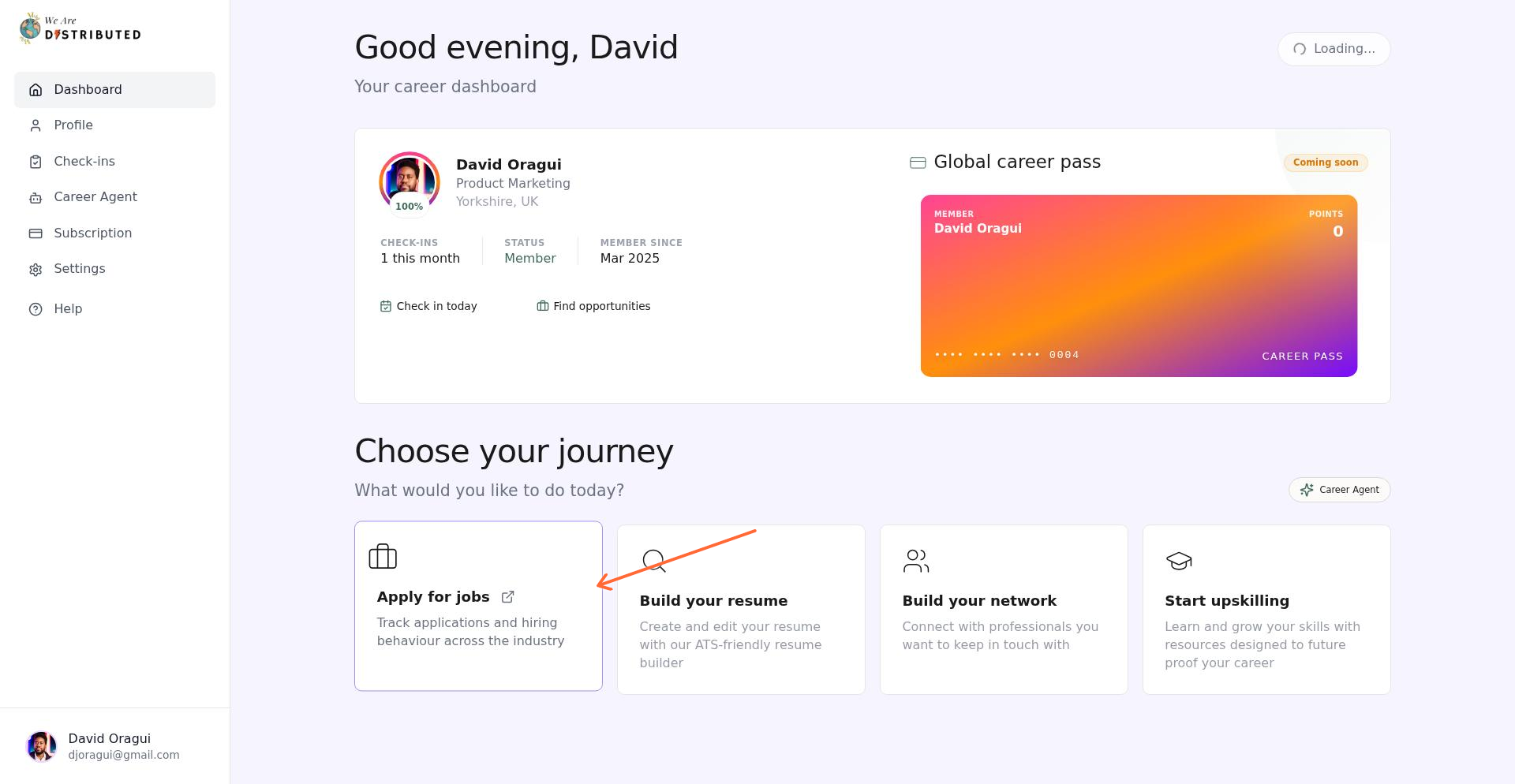
From your main dashboard, click the Track applications & interviews card to open the Job Tracker.
Navigate to Resume Analysis
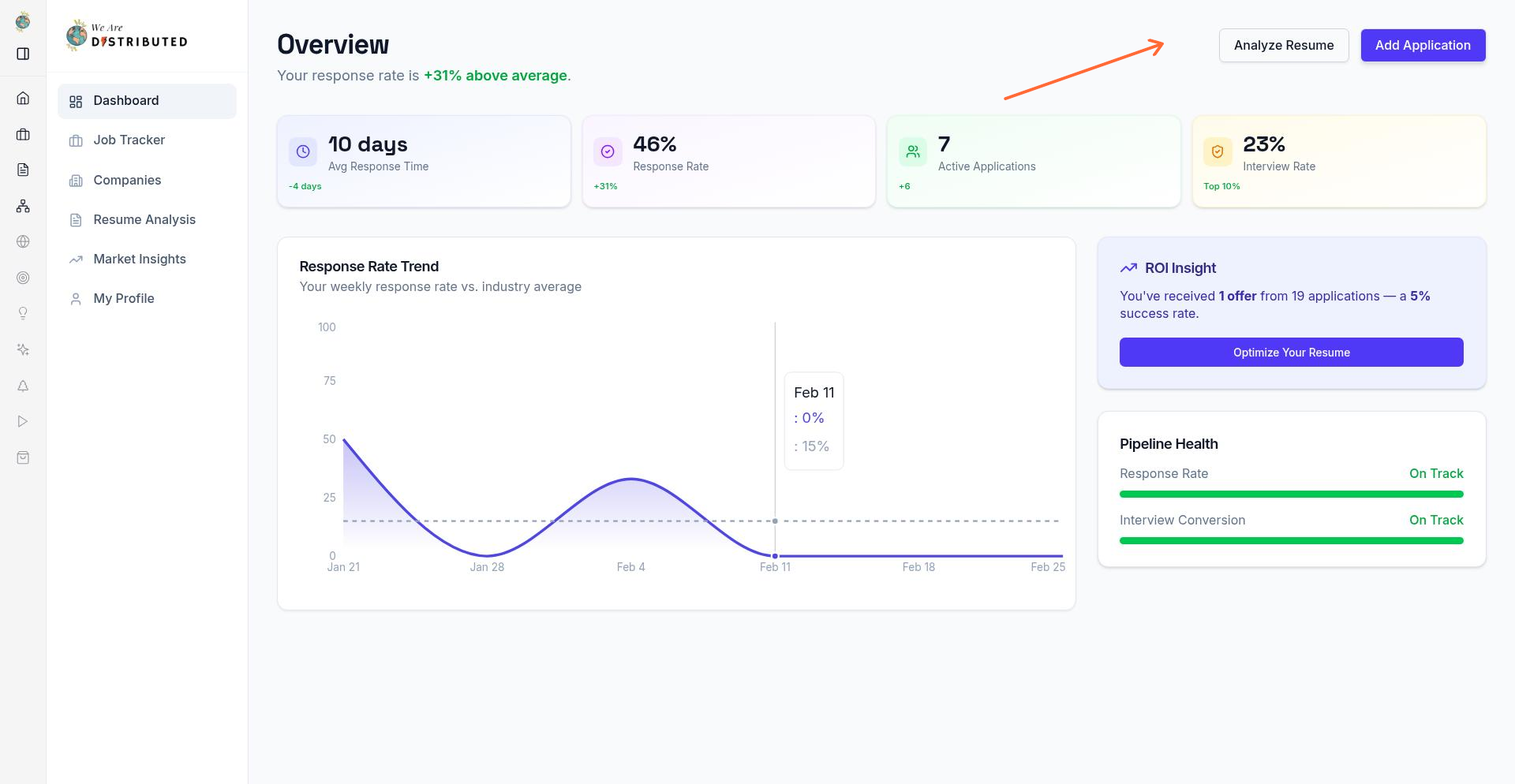
In the Job Tracker dashboard, click the Analyze Resume button to access the resume analysis tool.
Upload your resume
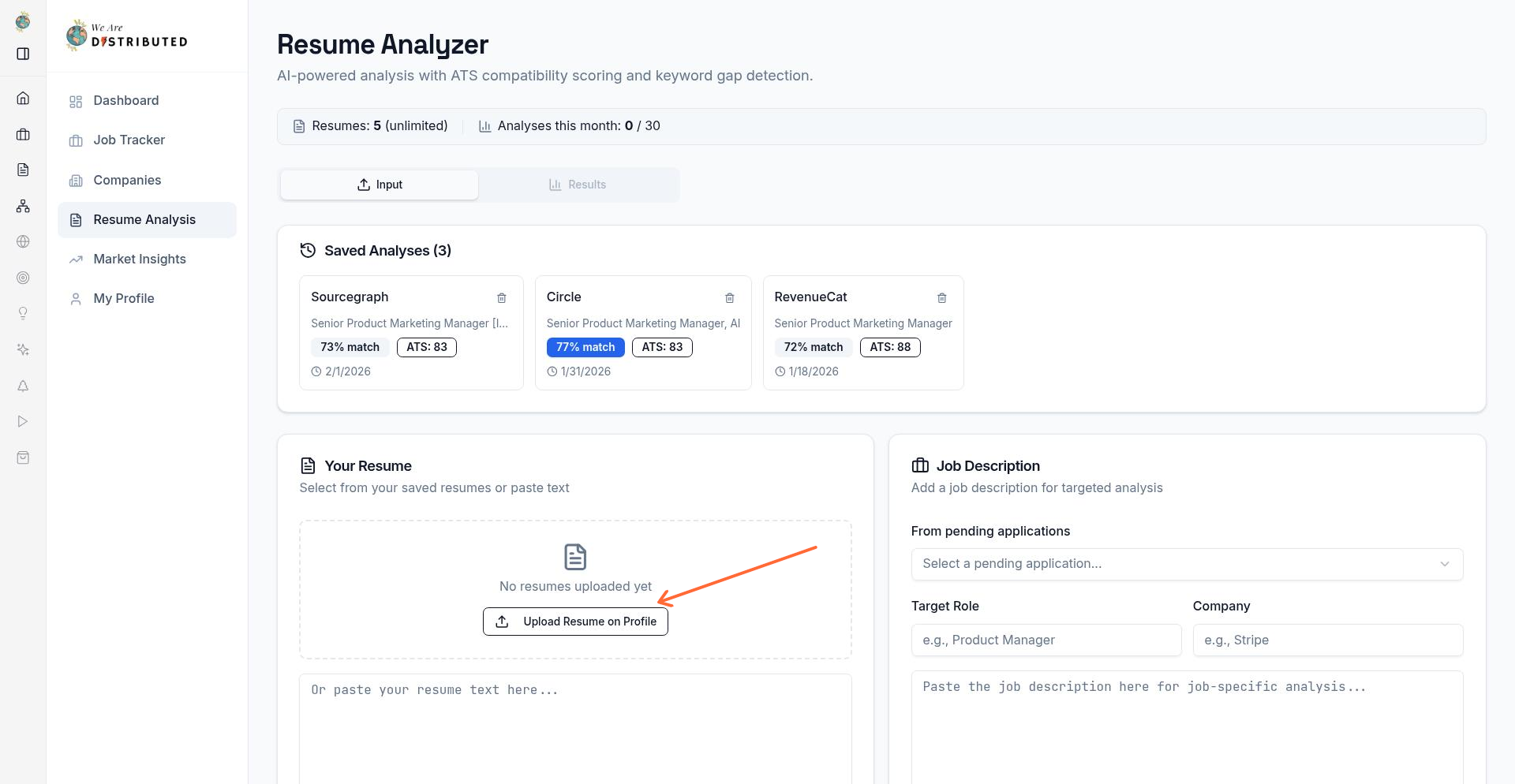
On the Resume Analysis page, click Upload Resume on Profile to navigate to the upload interface.
On your Profile page, use the upload control to select your resume file from your computer.
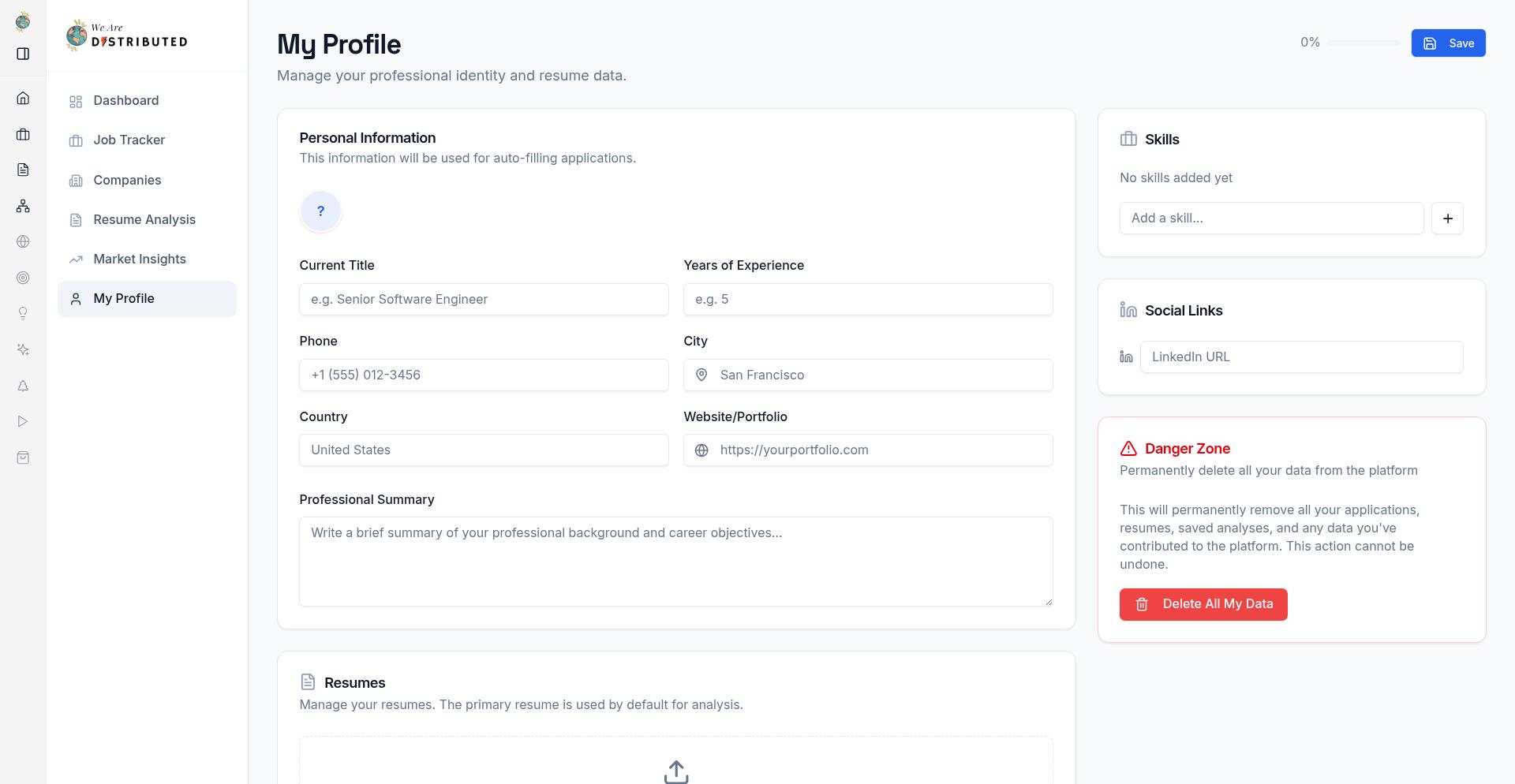
Upload your most recent resume in PDF or Word format for the best analysis results.
Read your resume analysis results
After you run analysis, the results page shows a fuller breakdown of how your resume compares with the role and where you can improve it.
Match Score shows your overall fit for the role based on the content in your resume.
ATS Score shows how readable and searchable your resume is for applicant tracking systems.
Success Probability appears on some analyses to estimate how competitive your current resume looks.
Overall Assessment gives a short summary of your current strengths and risks.
Use the tabs to dig into the details:
Overview for the headline scores and summary
Suggestions for recommended fixes
Keywords for missing or weak terms
Success Factors for the signals affecting your odds
Compare for benchmark-style comparisons with stronger applications
Recommendations for role-specific next steps when available
Understand scores, gaps, and suggestions
The detailed view may highlight items such as Keyword Gap, Experience Match, ATS Readability, Strong Match, Missing Critical Keywords, and AI Suggestion.
Start with missing keywords and low match areas. These usually point to skills, tools, or experience the role expects but your resume does not show clearly. Then review the suggestions and compare view to see what stronger applications include. Use actions like Fix, Add to Resume, or Auto-Optimize Resume to improve the resume before you apply.
The analysis helps you improve your resume, but it does not guarantee an interview. Use the recommendations to make your experience clearer and closer to the role.
Next steps
After updating your resume, run the analysis again to check whether your scores and keyword coverage improve. If you're actively applying, keep your tracker up to date with How to track job applications.