
Guide to subscription tiers and limits
We Are Distributed offers three subscription tiers designed to match different job search needs. This guide helps you compare features, understand usage limits, and upgrade when you're ready.
Comparing subscription tiers
Here's what each tier includes:
Feature | Free | Lite | Plus |
|---|---|---|---|
Job listings | Full access to 500+ verified jobs | Full access to 500+ verified jobs | Full access to 500+ verified jobs |
Career Agent | No access | Full chat + up to 5 projects | Unlimited projects + automated workflows |
Job Tracker | No access | Full access with resume analysis | Full access with resume analysis |
Resume Builder | No access | Full access | Full access |
Career CRM | No access | Full access | Full access |
Community access | Limited | Full #wearedistributed access | Full #wearedistributed access |
Advanced actions | No | No | Yes (coming soon) |
Resume upload and analysis limits
Resume features are available to Lite and Plus members. There are no monthly upload limits—you can update your resume as often as needed. To upload your resume:
Go to your Profile page in the main app
Upload a PDF or Word document
The Job Tracker will analyze your resume for insights
Free users don't have access to resume analysis. Learn more about uploading your resume.
Career Agent project limits
Lite members can create up to 5 Career Agent projects. Projects help organize different job searches (e.g., "Software Engineer roles" and "Product Manager roles"). Plus members have unlimited projects and can also set up automated workflows for scheduled searches and actions.
Free users see an upgrade prompt when accessing Career Agent—you'll need Lite or higher to use it. Learn more about Career Agent.
Monitoring your usage
To check your current plan and subscription status:
Click the Subscription button in the top navigation (credit card icon)
View your plan type (Free, Lite, or Plus), status, and billing period
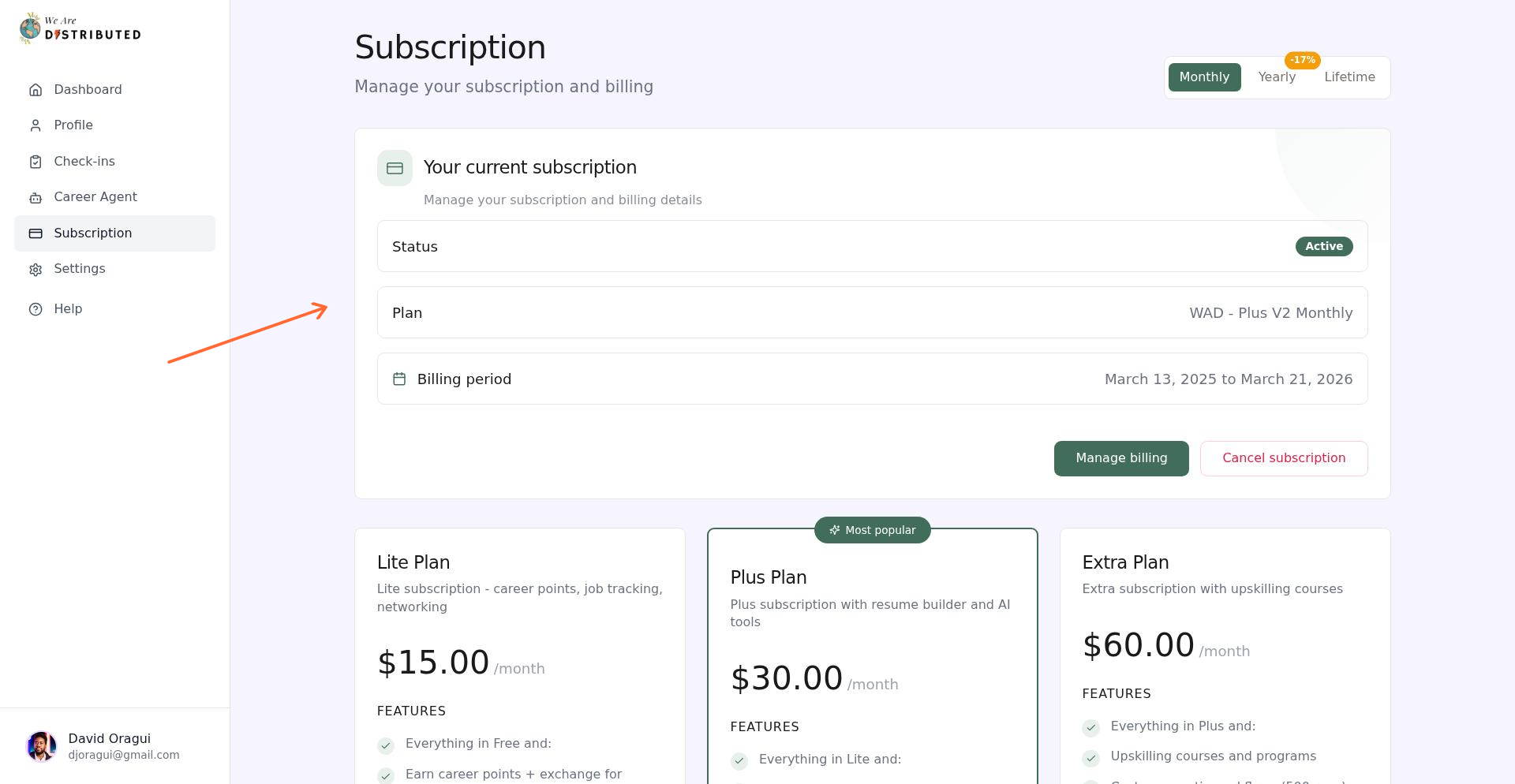
Your subscription page updates within 1-2 minutes after making changes. If you don't see updates immediately, refresh the page.
The Career Agent interface doesn't show a live counter for how many projects you've used. To track your projects, check the Projects tab in Career Agent to see your active project list.
Upgrading to a higher tier
To upgrade your subscription:
Navigate to your Subscription page (top nav credit card icon)
Scroll to the plan you want (Lite or Plus)
Click the Upgrade button
Complete payment if prompted
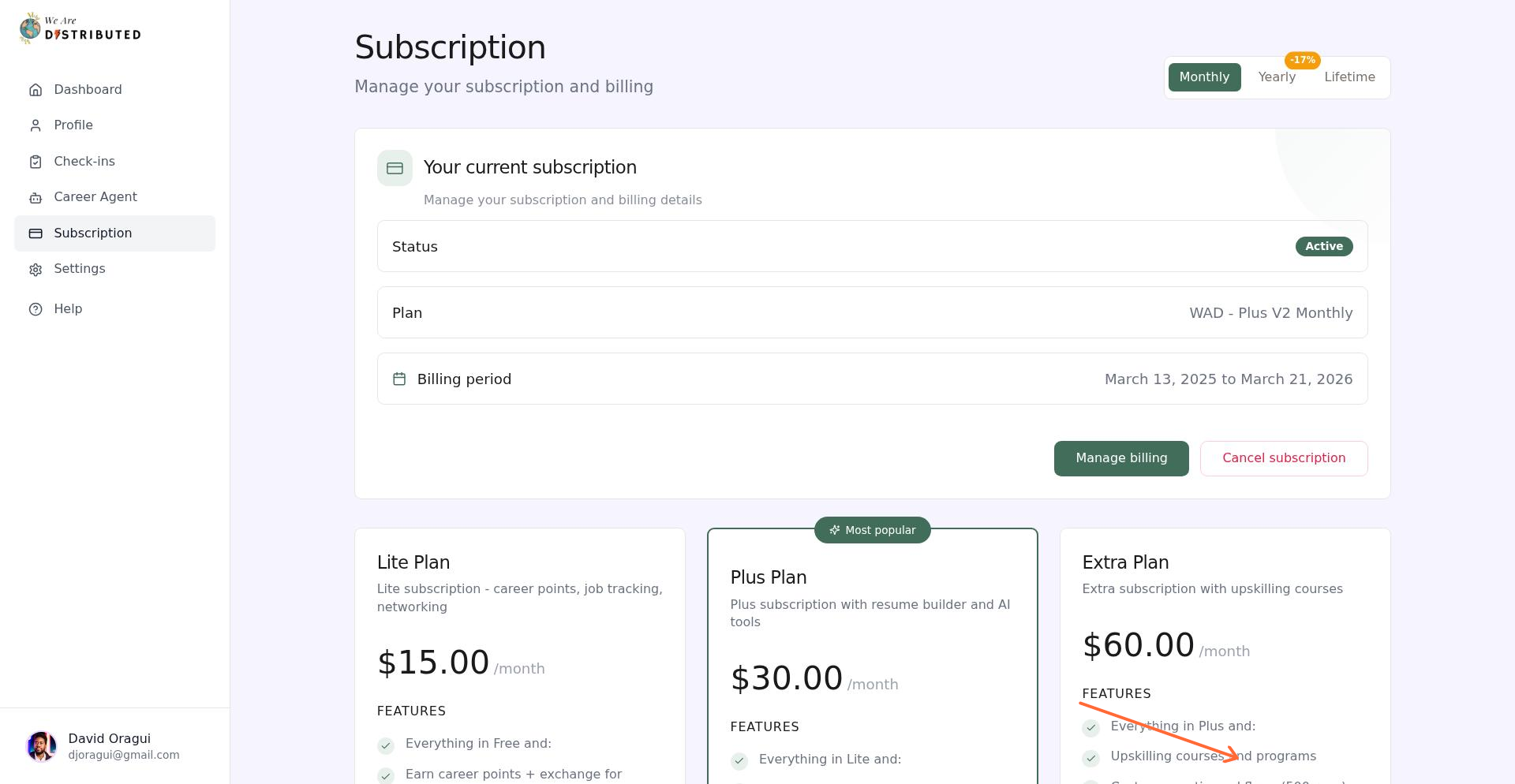
Your new plan features activate immediately after payment processes. Wait 1-2 minutes, then refresh to confirm your upgrade. Learn more about managing your subscription.
Upgrading from Free to Lite unlocks Career Agent, and all integrated apps—the most common upgrade path for active job seekers.