Ten application-tracking apps compared for global knowledge workers — what each one actually does, where each stops, and which fits the way you search.

The best job application tracker app is the one that fits the bottleneck in a real search, not the one with the longest feature list. Some people need a clean pipeline, some need browser capture and autofill, some need resume alignment, and some need a tool that helps with global discovery instead of dumping more tabs into the pile.
That matters more in 2026 because application tracking is no longer a niche behavior. ATS adoption is embedded in hiring, with nearly 99% of Fortune 500 companies using ATS platforms, 70% of large companies using one, and 75% of recruiters using ATS or another tech-driven recruiting tool, according to Grand View Research's ATS market coverage. Separate adoption analysis also reported 97.8% of Fortune 500 companies using a detectable ATS, plus 86% of ATS users saying it reduced time-to-hire, with effective use cutting cycle time by as much as 60%, in OneHour Digital's ATS adoption report.
For global knowledge workers, that means tracking can't stop at status labels. Salary visibility, geography, eligibility, and follow-up discipline all matter, which is why this comparison looks at Our Job Tracker Chrome Extension and the wider We Are Distributed platform alongside other tools that solve different parts of the search.
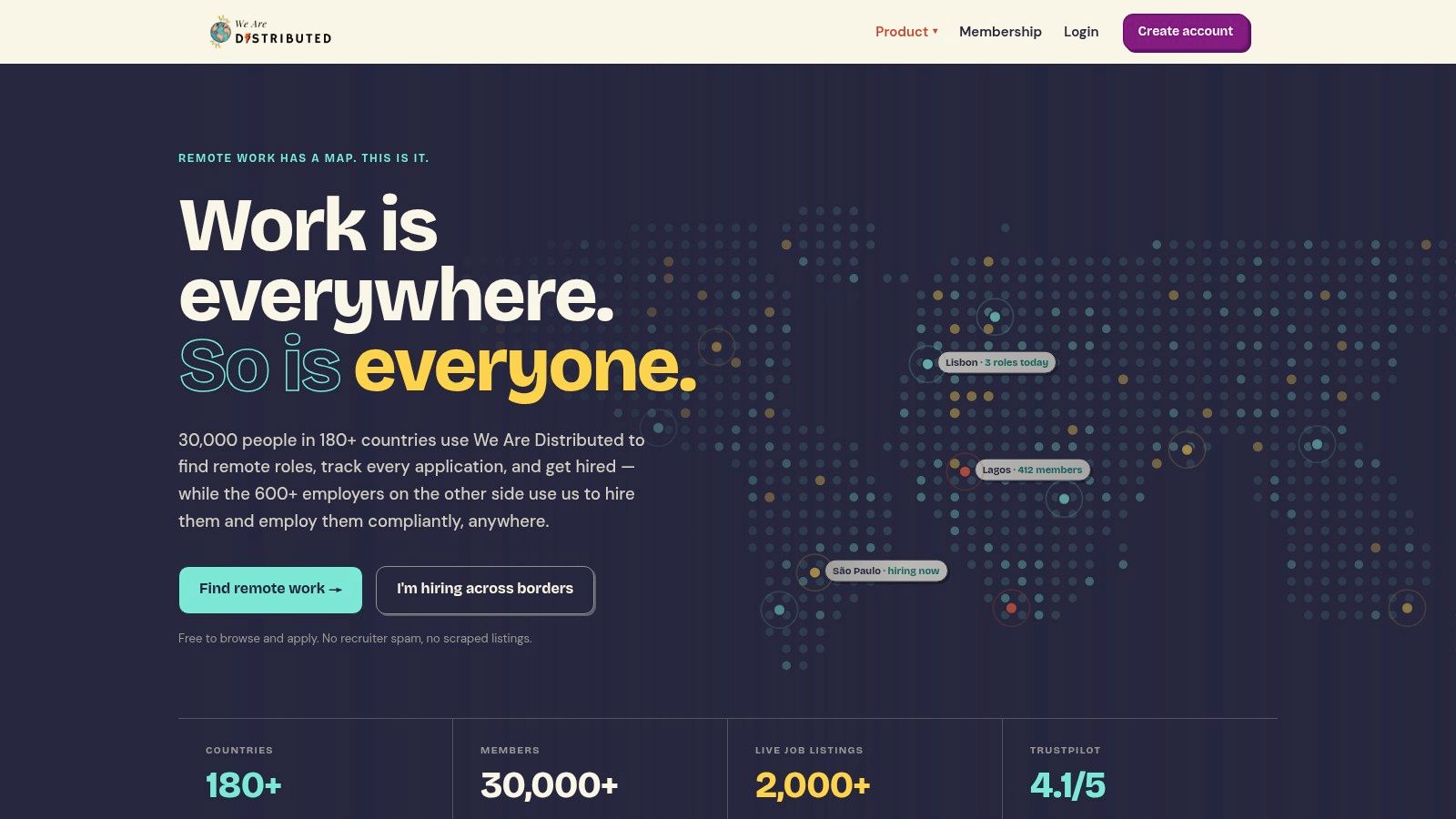
We Are Distributed is the rare platform that treats a job application tracker app as part of a broader career system. The human-verified global job board keeps fake and scraped remote listings out of the workflow, and salary is shown as standard, which instantly reduces the uncertainty that makes global searches messy. The remote jobs board is especially useful when the goal is not just to save roles, but to save better roles.
The strongest advantage is the mix of discovery, capture, and employment guidance in one place. The platform pairs a Job Tracker Chrome Extension with an AI Career Agent, automated workflows, a resume builder, and a Career CRM, so the user does less duplicate work between finding, tailoring, and following up. It also uses search-by-anything filters, which means a search can start from company attributes, pay practices, geographic eligibility, or skills instead of only job title.
Practical rule: If a remote role doesn't show salary, employer values, or clear location eligibility, it usually deserves a lower priority in the pipeline.
That global lens matters because We Are Distributed also serves employers with vendor-neutral global employment advice across EOR, global payroll, contractor of record, contractor conversion, and switching providers. The point isn't just to get more applications into a board, it's to make cross-border hiring and applying more realistic without hidden provider bias.
The trade-off is straightforward. Advanced features, including the tracker, resume tools, and AI agent work, sit behind membership, with Lite at $15/month and Plus at $30/month. Browsing and applying are free, but the premium experience is what turns the platform into a real workflow system.
Teal works best for job seekers who want a simple board that still does more than store links. The free tier gives unlimited tracking, which makes it easy to keep every saved role in one place without worrying about immediate caps, and the browser extension helps pull jobs in from the web instead of forcing manual entry. The job board workflow at We Are Distributed is a good contrast here, because Teal is built more as a personal workspace than a verified global source of roles.
Teal's real strength is the combination of Kanban-style tracking, resume tailoring, and keyword matching. That pairing makes it useful for applicants who already know they need to align a resume to a posting before applying, rather than doing that work in a separate document stack. The tracker and interview tracking are clear enough for day-to-day use, which keeps the search from turning into a spreadsheet maintenance problem.
The downside is also clear. The more interesting AI tailoring and some resume features sit behind a paid plan, so users who only want a tracker may feel pushed toward upgrades. Teal is a strong general-purpose choice, but it's not the most targeted option if the core problem is global eligibility or low-signal postings.
Teal is at its best when resume alignment is the bottleneck, not when the search needs employer transparency or cross-border context.
Huntr is for people who think in stages, contacts, and actions rather than just saved links. It gives a proper Kanban board, an interview tracker, a contact tracker, document support, and metrics, so the job search feels closer to a lightweight CRM than a list of bookmarks. The tracker-first approach in We Are Distributed's job tracker extension solves a different problem, but the comparison is useful because Huntr stays focused on organizing the search once the role is already in hand.
The Chrome Save to Huntr extension clips jobs from boards and ATS pages, which is the right behavior for people who apply across many sites and need a central place to manage the result. The autofill support also reduces repetitive typing, and the optional AI resume tailoring helps when the resume needs to move from generic to role-specific without rebuilding everything from scratch.
Huntr's biggest practical advantage is that it includes more than just jobs. Contacts, activities, and docs make it easier to remember who said what, which resume version was used, and what still needs follow-up. That matters when the search is active and the applicant is juggling several companies at once.
The limitation is scale. Free users get a lot, but the plan caps tracking at 100 jobs, and unlimited access requires Pro. That's enough for many searches, but heavy applicants will hit the ceiling sooner than they expect.
Simplify is the most obvious pick when the problem is application speed. Its extension-first workflow auto-fills forms on major ATS platforms, saves roles into a built-in tracker, and supports resume building, so the whole process leans toward execution instead of administration. That makes it attractive for anyone who spends too much time retyping the same personal details into different portals.
The useful part is not just autofill. Simplify also lets users save roles directly into the tracker and capture application details without leaving the workflow, which keeps the search from fragmenting across browser tabs and notes apps. For people applying across Workday, Greenhouse, Lever, and similar systems, that can remove a lot of repetitive friction.
The trade-off is that the tool is strongest when the site behavior stays stable. Extension-first products are always exposed to changes in ATS interfaces, so the experience can shift as sites update their forms. Advanced AI features also sit behind Simplify+, which means the free layer is useful, but not the full stack.
Use Simplify when the bottleneck is form-filling, not when the bottleneck is deciding which jobs deserve attention.
Careerflow.ai is best for users who live close to LinkedIn and want the tracker to sit beside profile optimization. The free Job Tracker and browser extension make it easy to save roles from LinkedIn, Indeed, Glassdoor, Google Jobs, and more, which is useful when discovery happens across several surfaces instead of one board. For a globally oriented user, that broad capture matters more than a flashy interface.
The practical advantage is that Careerflow reduces the gap between discovery and organization. A user can capture a role quickly, then move into LinkedIn optimization and resume work without rebuilding the search context somewhere else. Premium adds AI resume tools and interview practice, so the platform becomes more useful once the pipeline starts moving.
The downside is that breadth can make the interface feel busier than a dedicated tracker. Users who only want simple status tracking may find the product doing too much at once, especially if they do not care about LinkedIn profile work. It's a better fit for candidates who want their profile and applications to tell the same story.
A related comparison is the AIApply coder comparison from Parakeet AI, which shows how crowded this category has become. Careerflow still earns attention because it covers capture and profile optimization in one place.
Jobscan is the right answer when ATS matching already matters and the tracker needs to sit next to that process. The free Job Tracker lets users log roles, statuses, and progress, while the Chrome extension clips postings into the tracker during resume-match work. That makes the search feel connected, not split between an optimization tool and a separate logbook.
Jobscan works because it reduces the distance between scanning a posting and saving it. If a candidate is already using Jobscan to compare a resume to a job description, moving the same role into the tracker is a natural next step rather than another task to remember. That is a real workflow improvement, especially for users who want documentation and optimization in one place.
The limitation is also predictable. Many advanced resume and optimization features require Premium, so the free version is strong as an organizer but not the full optimization suite. Users who need heavy tailoring at scale may outgrow the free layer quickly.
LinkedIn My Jobs is the baseline tracker for people who discover most opportunities inside LinkedIn. It gives a centralized place to save roles, manage applications, and set alerts, and it stays tied to the user's LinkedIn profile, which makes match insights feel native rather than bolted on. For many searches, that's enough to keep the pipeline from getting lost.
The upside is convenience. If a role is already being discovered on LinkedIn, saving it inside LinkedIn means less context switching and less setup. The same web and mobile ecosystem makes the tracker easy to revisit while commuting, between meetings, or during quick review sessions.
The limitation is that off-LinkedIn applications still require manual effort. If the search spans company sites, ATS pages, or global boards, the user has to remember to save roles first and then keep them organized inside LinkedIn. Status tracking has also been inconsistent in some experimental features, so it's not the strongest choice for serious pipeline management.
For users who want a broader, more transparent global workflow, We Are Distributed's jobs area is a more focused alternative. LinkedIn My Jobs is still the easiest starting point when LinkedIn is the primary discovery channel.
LoopCV suits applicants who want the tracker to handle more of the admin work. It can submit applications and centralize status updates, so the search becomes an active workflow instead of a passive log. That matters for people who are tired of entering the same details twice.
The value is practical. Applications sent through LoopCV can flow into the dashboard automatically, which keeps the search in one place instead of spread across email, browser history, and scattered notes. Multiple board and career-page integrations also reduce how many tabs a user has to manage.
The trade-off is clear. Automation-heavy tools work best for applicants who are comfortable letting the system move quickly, while people who want to review every submission may find that too much is happening on their behalf. Plan details can also vary by region and plan, so current terms need a quick check before depending on the automation. For a broader view of companies hiring globally, see the global company directory.
Automation helps only after you know which roles deserve attention. Otherwise it only speeds up bad decisions.
Kiter is the quietest tool in this list, and that's its advantage. It gives users a visual pipeline, reminders, and basic resume templates without layering on a complicated feature stack. For first-time users or anyone who wants a lightweight system that doesn't get in the way, that simplicity is the point.
The platform is good at keeping momentum alive. Saving a role, setting a stage, and getting a reminder later is often enough to prevent a search from collapsing into forgotten follow-ups. A clean web interface helps here because it removes the temptation to overengineer the process.
The downside is equally clear. Kiter has fewer integrations than extension-led trackers, and its intentionally simple feature set means advanced users may want more capture options, more automation, or better workflow depth. It's a baseline tool, not a full career operating system.
CareerOS takes the “career workspace” idea seriously. It blends a job tracker with AI tools for tailoring materials and planning a search roadmap, which makes it more of a long-term career system than a one-off application log. That's useful for people who want the next role to fit a broader path, not just the next open slot.
The benefit of an AI-first platform is consolidation. Users can keep stages, notes, and follow-ups in one place while also using the AI layer to shape materials and strategy. For candidates thinking beyond immediate applications, that can feel more coherent than stacking separate tools together.
The trade-off is visibility. Pricing and plan specifics are less prominently published than larger competitors, so users need to verify terms before committing. The ecosystem is smaller too, which usually means fewer public reviews and less community proof than more established tools.
| Product | Key features | UX & quality | Best for | USP & Pricing |
|---|---|---|---|---|
| We Are Distributed | Human-verified global job board (salary shown); AI Career Agent; job tracker + Chrome extension; resume builder; global employment advisory | High signal listings; data-led insights; 30k members, 600+ employers; Trustpilot 4.1/5 | Global knowledge workers & employers needing compliant cross-border hiring | USP: Salary transparency, search-by-anything, vendor-neutral EOR/advisory. Pricing: Free browse/apply; Lite $15/mo; Plus $30/mo |
| Teal | Kanban tracker; resume tailoring; browser extension; autofill | Clear UI; strong docs/help center; unlimited free tracking | Job seekers wanting robust free tracking + resume tools | USP: Unlimited free tracking with clear workflows. Pricing: Free; paid AI/resume upgrades |
| Huntr | Chrome clipper; kanban & interview tracker; contacts, metrics; autofill | Strong org tools; useful metrics; reliable for tracker-first workflows | Users wanting CRM-style job organization and metrics | USP: Contacts & activity management integrated. Pricing: Free (limit 100 jobs); Pro for unlimited |
| Simplify Copilot + Job Tracker | ATS autofill (Workday/Greenhouse/Lever etc.); in-extension tracker; resume builder | Excellent ATS coverage; extension-dependent reliability | Users who prioritize fast autofill across many ATS | USP: Broad ATS autofill + in-extension saves. Pricing: Core free; Simplify+ premium for AI features |
| Careerflow.ai | Free job tracker; LinkedIn profile optimizer; broad one-click capture | Generous free tier; wide capture coverage | Candidates wanting tracking + LinkedIn optimization | USP: LinkedIn optimization + broad site capture. Pricing: Free tier; paid AI/interview add-ons |
| Jobscan (Job Tracker) | Job tracker integrated with resume/ATS scans; Chrome clipper | Streamlined scan-to-track workflow; good documentation | Users focused on resume optimization + tracking | USP: Tight resume match + tracker integration. Pricing: Free tracker; Premium for advanced scans |
| LinkedIn "My Jobs" | Save/manage roles; alerts; match insights tied to profile | Native, integrated, mobile + web; free | Users discovering roles primarily on LinkedIn | USP: Built into LinkedIn ecosystem. Pricing: Free |
| LoopCV | Auto-population for LoopCV-submitted apps; integrations; dashboard | Minimizes manual entry; automation-first (varies by site) | Users who want automated submission + single pipeline view | USP: Automated application logging/submissions. Pricing: Free tracker; paid automation plans |
| Kiter | Visual pipeline; reminders; basic resume templates | Simple, low-friction UI; fast adoption | First-time job trackers or minimal-tool users | USP: Lightweight, fully free tracker. Pricing: Free |
| CareerOS | Job tracker; AI tailoring; career planning tools | All-in-one, AI-first; actively developed | Users wanting long-term career strategy plus tracking | USP: "Career OS" focus (not just job apps). Pricing: Paid tiers (details vary) |
The best job application tracker app depends on what slows the search down. We Are Distributed is the strongest fit for globally focused discovery, salary transparency, and career management in one place. Teal and Kiter work well for straightforward pipeline tracking, with Teal adding more resume support and Kiter staying lighter. Huntr is the better choice when contacts and workflow metrics matter, while Simplify Copilot is the clear pick for autofill-heavy searches.
Careerflow.ai and Jobscan make more sense when profile and resume alignment are the main problem. LinkedIn My Jobs is fine when LinkedIn is already the primary discovery channel, and LoopCV fits applicants who want automation to reduce manual entry. CareerOS is the option for people who want an AI-led workspace that feels closer to a strategic system than a tracker.
The practical setup is the same no matter which tool gets chosen. Define stages before adding jobs, record location and eligibility, save the original posting, and set follow-ups when the application goes out. Then review what converts, because a tracker is only useful if it shows which roles deserve more effort and which ones should be dropped earlier.
Avoid applying broadly without tailoring. Use the tracker to keep the process honest, not to create the illusion of progress. If a role lacks salary transparency, clear geography, or credible employer signals, it should usually move lower in the queue.
Pricing and features change fast in this category, so current plan details should be verified before a long search depends on them. Employment, tax, and cross-border compliance questions should stay separate from app selection, because those decisions belong to the hiring or contracting setup, not the tracker itself.
For teams and candidates who want a cleaner way to manage discovery, follow-up, and global targeting, start with a tool that matches the search bottleneck, then build the workflow around it. If the goal is to reduce noise and improve signal, a focused system will beat a bloated one every time. If a broader job-alert layer also helps the search, AI-powered job alert software can complement a tracker, but it shouldn't replace one that fits the actual workflow.