
Sign in
Upskilled uses your We Are Distributed account, so there's nothing new to set up. If you're signed in to your dashboard, Upskilled opens straight away. If not, you'll see Sign in to Upskilled (or Sign in to play this scenario if you opened a scenario link):
- Click Continue to account to sign in through your We Are Distributed account. You come straight back afterwards.
- Or enter your Email and your Password or login code, then click Sign in. If you've forgotten it, click Forgot it?.
- New here? Click Create an account, enter your Full name, Email and a Password of 8 or more characters, then click Create account. The account works in every We Are Distributed app.
The sidebar shows your points and your day streak. Open the account menu at the bottom of the sidebar for View profile (your profile in the dashboard) or Sign out. On a phone, tap the menu button at the top left to open the sidebar.
Choose your job family
Upskilled is for product marketers for now. The first time you open it, you'll see Upskilled is for product marketers for now. Click I'm a product marketer to set your job family, then Go to Today. You can also click Play as a product marketer to start today's scenario straight away.
If you work in something else, click Add my job family, type what you do under Don't see your job? and click Suggest it. The families people ask for most are the ones we build next.
Start today's scenario
Today shows the day's scenario: its title, its number and track, about how long it takes (about 4 minutes) and the setup.
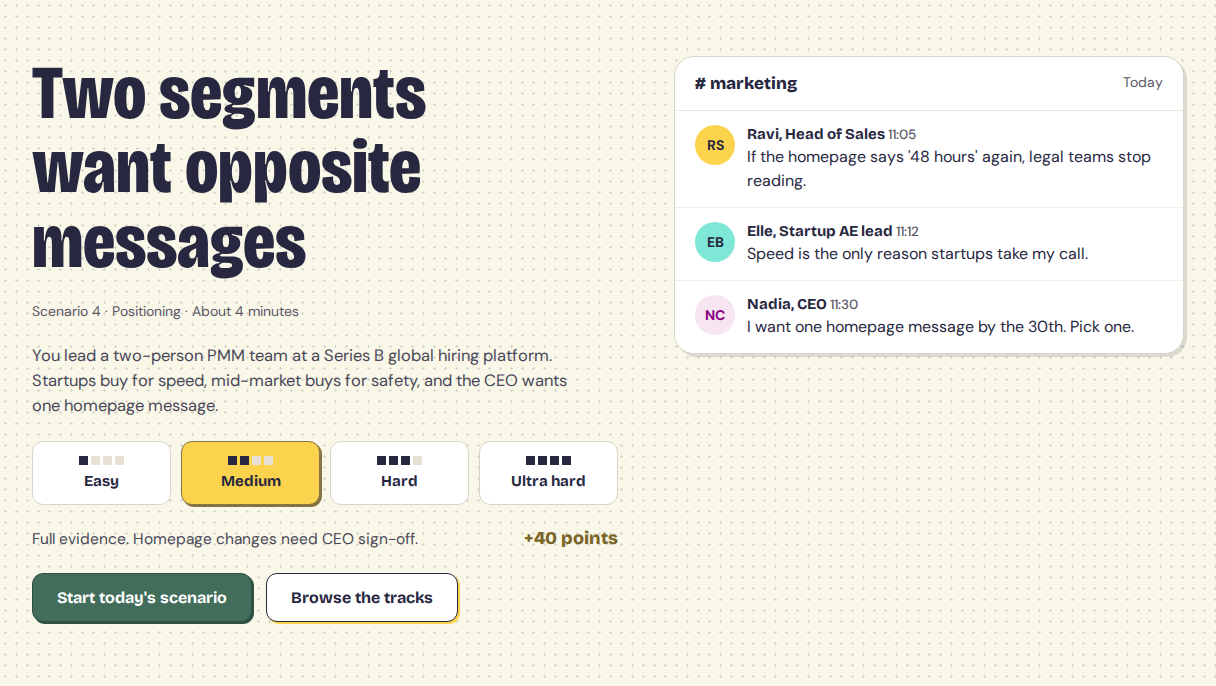
- Choose a difficulty: Easy, Medium, Hard or Ultra hard. Medium is picked for you, and the points you can earn show under the buttons.
- Click Start today's scenario.
- Read the brief: the situation, what you know and the numbers you start from. On a phone, tap Make the call when you're ready.
- Under What do you do first?, pick one option.
- Under Who hears it first?, pick who you tell first.
- Under Why?, add a few words on your reasoning if you like. It's optional, and other product marketers see it after they play.
- Click Lock it in. Once you lock it in, it's locked: you can't change your answer.
If you see That didn't go through. Try again., click Lock it in again.
See your result
Your result opens on 90 days later. It shows:
- a short recap of what happened, and how your four starting numbers moved;
- What happened, week by week, with a grade for Your decision and The outcome, and the factors behind them;
- How product marketers called it, and Who heard it first. Use the buttons (Everyone, Associate, PMM, Senior PMM, Lead, Director and so on) to see one level, and the tabs (All calls or one option) to read what people who made each call said. Percentages only show once enough people have played.
Try a different call
Curious how another call would have played out? Click Try a different call on your result, or Pick a different call under What if you'd called it differently?, and play the scenario again. You can replay as often as you like. Only your first call earns points, builds your streak and goes into the vote.
You can share your result with Share result, or copy it as text with Copy text. Click Back to today to return to Today. Once you've played, Today shows See your result instead of the start button.
Points and your streak
- Playing today's scenario earns 40 points, whichever difficulty you choose. Only your first play of the day counts, and if today's scenario is one you've played before, it earns no points (Today shows +0 points). Points show on your result and in the sidebar.
- Your day streak counts the days in a row you've played the daily scenario. Days follow UK time (Europe/London), so each day starts at midnight UK time.
Tracks and past scenarios
Click Tracks in the sidebar to see your progress: how many scenarios you've played, your points and your day streak, how your calls were graded, Your tendencies, and Your tracks, with the next scenario in each.
On Lite, Plus, Extra and Premium, you can also play Past scenarios once you've played today's. Until then, they show Play today's scenario first. On Free, they show Included in Lite; click See Lite to see the plans. Past scenarios don't earn points or count towards your streak.
To ask other product marketers about a real call you're facing, see Ask the room in Upskilled.