Ten application trackers worth using, from simple spreadsheets to purpose-built job-search tools.

A tracker will not fix a weak job search strategy. It will not make a slow recruiter respond faster, and it will not turn a poor-fit role into the right opportunity. What it can do is preserve context, reveal patterns, and keep the next action visible when your applications span countries, time zones, platforms, and employer-specific hiring stages.
That is why the best job application tracker template is rarely the most complex one. The right choice depends on setup effort, customization, follow-up support, offline access, collaboration, and how well the system handles global or remote roles.
Some people only need a clean spreadsheet. Others need browser capture, CRM-style notes, and custom stages that match how each employer hires.
The strongest case for browser-based tracking is simple, it removes friction at the exact moment a role looks promising. Our Job Tracker Chrome Extension captures jobs from 15+ platforms with one click and extracts key listing details automatically.
That matters because job searches get messy fast when bookmarks, inboxes, and spreadsheets all compete for attention. It is the most complete option here for people who apply across remote boards, ATS pages, and multiple geographies.
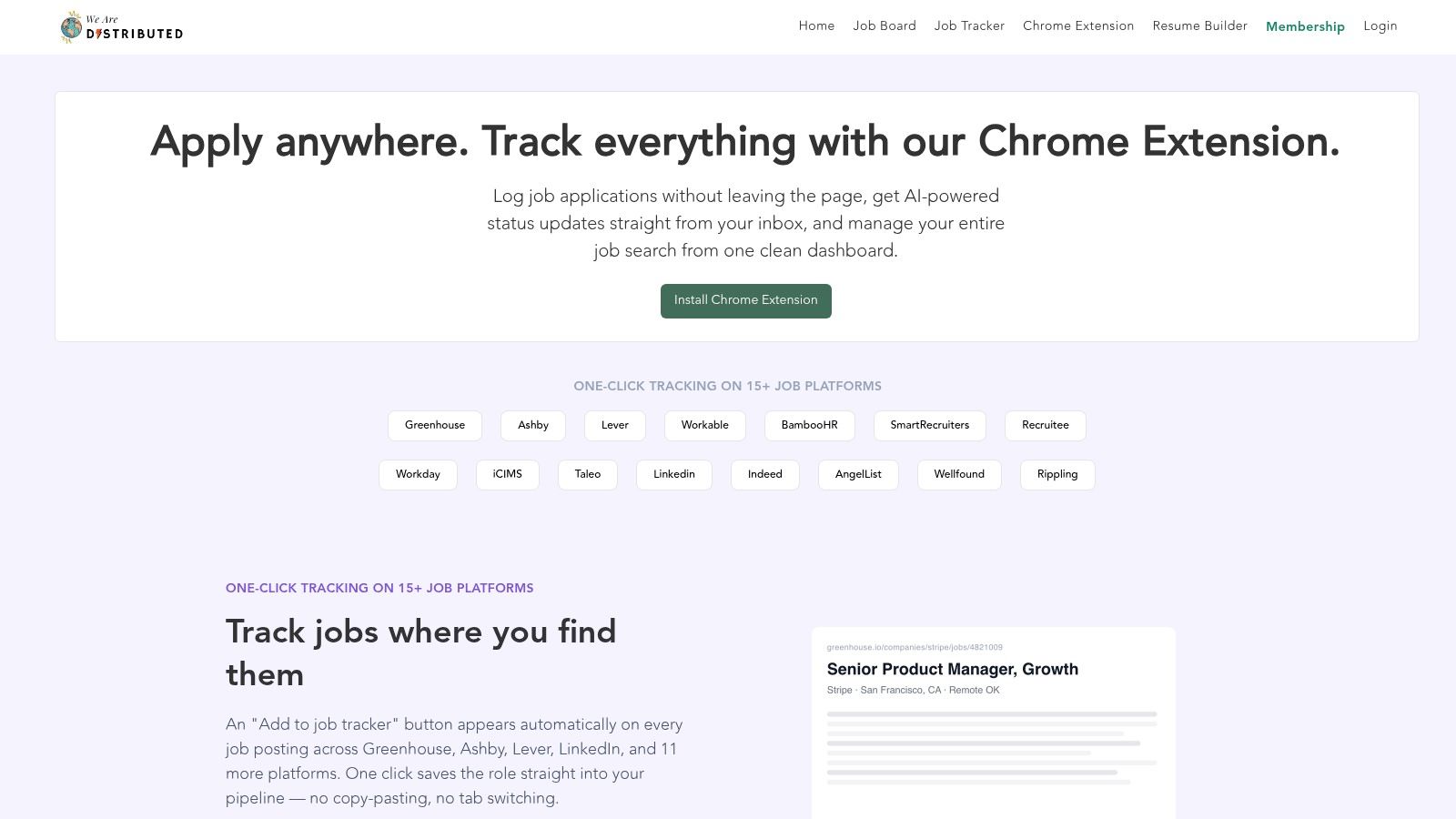
The main advantage is not just capture speed, it is context preservation. The extension funnels roles into a single dashboard where applications, notes, and next steps stay together.
That helps candidates compare opportunities by source, region, and stage instead of relying on memory. It fits the shift from basic lists to dashboard-style trackers described in modern spreadsheet templates, where fields such as applications submitted, interview callback rate, interview success rate, offers, rejections, and response rate help quantify progress over time.
Practical rule: if a role is worth opening in a browser tab, it is worth capturing in a tracker immediately, before the listing disappears or the details get buried.
We Are Distributed also positions the tracker inside a broader workflow, with salary insights, benchmarking, an AI Career Agent, and a Resume Builder. That matters for distributed and globally mobile applicants because the tracker can work as an execution layer, not just an archive.
The main jobs page remains available at We Are Distributed jobs. The trade-off is obvious, it is Chrome-only, so mobile-first users or people on non-Chrome browsers will feel that limitation.
This is the best choice for remote-first candidates who want a job application tracker template with real capture automation and stronger signal around global roles. It is less ideal if the goal is a lightweight offline log.
It also depends on a broader ecosystem for full value, so it rewards users who want one workflow across job discovery, benchmarking, and follow-up rather than a standalone sheet.
Notion's official Job Applications template works best for people who want one workspace for roles, notes, interview prep, and documents. The database format is tidy, the views are flexible, and it feels natural for users who already live in Notion.
For a global search, that flexibility helps because different roles can carry different notes without forcing the user into a rigid spreadsheet.
The template supports multiple views, including board, table, calendar, and timeline, so it can function as a visual pipeline or a planning board depending on the search style. That makes it easy to link resumes, cover letters, and interview prep pages directly beside each role.
It is strong on organization, but it still needs deliberate setup if the goal is structured follow-up rather than passive logging.
Notion is a good fit when the job hunt is mixed with other planning work, especially for candidates who prefer a clean database over a traditional sheet. It is also well suited to people who want to store role-specific research, interview notes, and company context in one place.
For distributed roles, it can be useful to keep location, work arrangement, and eligibility context together with the application.
The limit is automation. Notion does not provide native email or calendar automation without extra setup, and offline use is limited.
That means it is less effective as a daily follow-up engine than a browser capture tool or a spreadsheet with reminders.
A Notion tracker works best when the candidate values structure and linked notes more than automatic nudges.
For remote and distributed searches, the tracker pairs well with the broader We Are Distributed remote jobs page. The combination is useful for people who need one place for applications and a separate place for role discovery.
It will not feel as fast as a dedicated browser extension, but it is one of the cleanest options for a job application tracker template inside a broader personal knowledge system.
Airtable's Job Hunting template is the strongest relational option on this list. Instead of treating applications as isolated rows, it lets leads, applications, and contacts live in related tables.
That makes sense for networking-heavy searches where one recruiter, one referral, or one source can affect several roles. That relational structure reduces duplication and gives the tracker more of a CRM feel.
For global searches, Airtable's value shows up in how it handles structure without becoming rigid. Users can keep source, contact, application, and interview information connected, then filter by stage or channel when reviewing the pipeline.
The result is a tracker that supports more thoughtful decisions than a flat list, especially when a search crosses countries, work models, or hiring teams.
Airtable's main strength is that it separates data cleanly. A single contact can be tied to multiple applications, and a lead can be linked to later follow-up work without messy copy-paste habits.
That makes it easier to compare patterns across sources and to avoid losing context when the same employer appears in more than one market or hiring channel.
The downside is the learning curve. People who are comfortable with spreadsheets may need time to understand linked records, views, and field types.
Rich automations and record limits also depend on the plan level, so the free experience may feel narrower than the interface suggests.
Airtable is a strong fit for candidates who want a job application tracker template that grows into a small operating system. It is less ideal for someone who just wants to log company names and follow-up dates.
For users who want quick global context without relational complexity, another option may be easier to maintain.
ClickUp's Job Search template treats applications like tasks, which is exactly why some people find it easier to maintain than a pure tracker. Each application can carry a status, due date, checklist, and custom fields.
The system works well for candidates who already manage their day through task lists. That includes people juggling interview prep, portfolio updates, and follow-ups across multiple time zones.
The best part is that ClickUp does not separate tracking from action. Interview prep notes, checklists, and reminders can sit in the same workspace as the pipeline.
That makes it easier to move from applied to prepared without switching tools. That is useful for global applicants whose process changes from employer to employer, especially when one role asks for a case study and another wants a presentation.
ClickUp shines when the search is treated like a project. A candidate can set up stages like To Apply, Applied, Interviewing, and Offer, then attach compensation notes, contact details, and specific prep tasks.
The structure is clear enough to support discipline, but flexible enough to reflect different processes across regions.
The trade-off is interface density. ClickUp can feel busy for people who only need a straightforward tracker.
Some of the time-saving features also sit behind paid plans, so the free version is better for core use than for advanced automation.
Useful habit: if a tracker is not reducing the number of tabs open during the search, it is probably overbuilt for the job.
ClickUp works best for candidates who want a job application tracker template plus a personal task manager in one place. It is less appealing for users who want minimal setup, or for people who prefer the calm, static feel of a spreadsheet.
The monday.com Networking & Job Applications template is built for visual thinkers. Status columns, file attachments, due dates, and a color-coded board make it easy to see what is moving and what is stuck.
That is useful when a search includes both direct applications and warmer networking leads, because the board can hold both without forcing them into separate tools.
For distributed job searches, the visual layout helps more than people expect. Hiring processes vary widely across countries and employers, and a board makes those differences easier to scan.
One role can sit in Applied, another in Interviewing, and another in a custom stage that reflects a local process or a multi-step assessment.
monday.com is especially good for collaboration. Shared boards, file handling, and basic automations make it useful for partners, advisors, or job seekers who want a visible workflow.
It is also one of the better options for people who dislike rows of spreadsheet data but still want structure.
The weak spot is depth. Some views and automations depend on the plan, and the template is better suited to light CRM use than advanced analytics.
That means it works well as a pipeline board, but less well as a detailed learning system.
For candidates who want to keep employer research and search context visible, the broader We Are Distributed companies page can be a useful companion source. The template itself is best when the goal is to track status cleanly and keep momentum without spreadsheet fatigue.
It is a practical job application tracker template for people who want a board they can glance at and trust.
Atlassian's Trello job-hunt workflow template is the simplest visual option in the group. It uses Kanban lists like To Research, To Apply, Applied, Interviewing, and Offer, which makes it easy to understand on day one.
There is very little setup friction, and that matters because many people abandon trackers when the setup feels heavier than the search itself.
Trello is a strong choice for applicants who do not need relational data or dashboards. Each card can hold checklists, labels, due dates, and attachments, so specific resume and cover letter tasks stay attached to the role.
For a global job search, that simplicity helps when different employers require different application materials, interview rounds, or follow-up cadence.
Trello's strength is the same thing that limits it. It gives a clean visual flow, but not much reporting depth.
There is no native relational structure, so it does not naturally compare sources, contacts, or employer types the way more database-like tools do.
That makes Trello ideal for quick implementation. It is the fastest path from chaos to structure if the main goal is to see which roles need attention today.
It is less useful for candidates who want a rich analytical record of why one source led to interviews and another did not.
Trello works best when the user wants a job application tracker template that feels like a board of next actions, not a database. It is a good fit for early-stage searches, small pipelines, and people who want low-friction collaboration without learning a new system.
Coda's Job Search & Activity Tracker sits between a spreadsheet and a document system. It offers tables for roles, contacts, outreach, and interview prep, plus dashboards and action buttons.
That means it can act like a lightweight CRM inside a flexible doc. It is especially appealing to candidates who want a tracker that also holds notes, prep materials, and weekly action lists.
For international searches, Coda's hybrid structure is useful because the same doc can hold role research, outreach history, and stage-specific notes without breaking the workflow into separate apps.
That matters when applicants need to track different hiring mechanics across regions, especially where interview rounds or assessment steps vary widely.
Coda rewards users who like building their own system. Buttons, filters, and integrations can create a surprisingly polished workflow, and Packs can connect the tracker to Gmail or Calendar.
The result is powerful, but not plug-and-play.
The trade-off is setup time. People who want instant usability may find Coda too open-ended at first, especially if they want automation logic.
Some Packs and automation features can also depend on paid plans, which limits how far a free setup can go.
Coda is a good match for anyone who wants a job application tracker template with document-style notes and CRM-like behavior. It is less effective for users who just need a simple, disposable sheet.
The upside is flexibility. The downside is that flexibility has to be shaped before it becomes useful.
Smartsheet's Applicant Tracking templates are a good fit for people who want structured grids with a more formal feel. The downloadable sheets and platform templates can be adapted for personal searches or small recruiting workflows.
The familiar row-and-column structure makes them easy to understand at a glance. That is useful when the job hunt already includes enough complexity.
The attraction here is reliability. Status columns, interview dates, and notes fields keep the workflow grounded, while the grid format stays friendly to exports and reporting.
For global searches, the appeal is similar. The template supports consistent tracking across multiple markets without forcing a visual system that may feel distracting.
Smartsheet is more enterprise-shaped than most of the tools on this list. That can be a strength if the user wants something that looks and feels operational, especially when tracking several applications or advising others.
It also scales well if the search later expands into a broader workflow.
The downside is accessibility. The best features sit inside Smartsheet, which is a paid platform after trial, and the free downloadable experience is less convincing for users who prefer Kanban or lightweight collaboration.
It is a serious tool, but not the most casual one.
For candidates who want a structured, export-friendly job application tracker template, Smartsheet is solid. For people who want playful visuals or quick mobile updates, it may feel heavier than necessary.
ExcelGuru's Job Application Tracker is the spreadsheet-first option for people who want something local, familiar, and fully offline. That matters more than it gets credit for, especially for job seekers who travel, work from different machines, or do not want another account tied to their search.
It is a strong candidate for a no-frills process.
The template includes predefined columns for company, link, stage, contacts, and follow-ups, along with status dropdowns and basic conditional formatting. That structure reflects the modern shift described in current template guidance, where fields like company, position, date applied, status, salary range, contact, follow-up date, notes, and last updated now function like a lightweight CRM ExcelGuru's template guide.
Excel works because it is predictable. A candidate can tailor columns, add formulas, and store the file locally without needing a separate platform.
That makes it a good fit for users who want a job application tracker template that lives where they already work.
The limit is coordination. Without Outlook or Power Automate, reminders will not happen on their own, and collaboration requires OneDrive or SharePoint setup.
That means it is best for solo use or for people who are already comfortable in Microsoft's ecosystem.
The global advantage is straightforward. Offline access and familiar formulas make it practical for people moving between countries, devices, or work environments.
It is not flashy, but it is dependable, and sometimes dependable is the right trade-off.
AppleOne's public Job Application Tracking Worksheet is the fastest route for anyone who wants a copy-and-go tracker in Google Sheets. It covers the basics, company, title, date applied, source, link, follow-up, and notes.
That is enough to start tracking without thinking about platform setup. For many job seekers, that is the point.
Because it lives in Google Drive, it is easy to share and update in real time. That makes it useful for people who want a simple collaborative tracker or who already use Sheets for most personal admin.
The template is also easy to extend with filters and conditional formatting, so the skeleton can stay simple while the workflow becomes more organized.
AppleOne's worksheet is not trying to be a dashboard or a CRM. It is a clean entry point for people who want to log applications quickly and move on.
That makes it especially useful for early-stage searches or for candidates who want to test whether tracking helps before investing in a heavier tool.
The drawback is just as clear. There is no native Kanban view, no built-in dashboard layer, and automation depends on add-ons or Apps Script.
That means it is more about discipline than software sophistication.
For a job application tracker template that lowers friction to nearly zero, this is a practical choice. It is the kind of sheet that gets used because it does not ask for much.
| Tool | Core features | User experience / UX notes | Value proposition | Best for / Target audience | Price & limitations |
|---|---|---|---|---|---|
| Job Tracker Chrome Extension | One-click capture (15+ sites); automatic metadata extraction; syncs to We Are Distributed dashboard | Fast capture; searchable unified dashboard; Chrome-only | Centralizes applications + benchmarks with salary & verification data | Remote/global job seekers who apply across many boards | Free extension; full value requires We Are Distributed account; Chrome-only; some sites unsupported |
| Notion, Job Applications template | Prebuilt database; multiple views (board/table/calendar/timeline); links to docs; Notion AI where available | Clean, flexible interface; easy to customize; limited native automations | All-in-one workspace combining docs, tracking, and prep | Users who prefer integrated docs and flexible views | Free tier; advanced automations and offline features require paid plans |
| Airtable, Job Hunting template | Relational bases (leads, applications, contacts); Kanban/calendar/gallery views; attachments & filters | Scalable and visual; steeper learning curve for database newcomers | Relational tracking reduces duplicate data and scales workflows | Users needing a database-style job CRM and visual pipeline | Free tier; automations & higher record limits on paid plans |
| ClickUp, Job Search template | Task-based pipeline; custom fields; list/board/calendar views; integrated docs & checklists | Strong personal task management; interface can feel busy | Combines task management with application tracking and reminders | Users who want task-driven job search and prep in one workspace | Free for core use; best automations on paid plans |
| monday.com, Networking & job applications template | Visual boards with status/owners/dates/files; basic automations; calendar & dashboard views | Visual, color-coded and approachable; good for collaboration | Merges networking and applications in a visual pipeline | Individuals or small teams with light CRM needs | Limited free features; automations and advanced views require paid plans |
| Trello (Atlassian), Job-hunt workflow template | Simple Kanban lists; card checklists; labels, due dates, attachments | Very quick setup; low learning curve; lightweight collaboration | Fastest jump-in Kanban for visual progress tracking | Users who want a simple, visual workflow without complexity | Free basic use; advanced Butler automations limited on free plan |
| Coda, Job Search & Activity Tracker | Tables for roles/contacts/activities; buttons & dashboards; Packs for integrations | Powerful customization; requires setup for advanced logic | Doc + CRM flexibility with actionable buttons and integrations | Power users who want custom automations and dashboards | Free basics; some Packs and automation features may need paid plans |
| Smartsheet, Applicant Tracking templates | Grid-style templates; status columns; interview dates; easy exports | Enterprise-grade feel; best when using Smartsheet product | Structured grids that scale into robust hiring workflows | Users needing spreadsheet-like enterprise tracking and exports | Templates free-to-view; Smartsheet is paid after trial for full features |
| ExcelGuru, Job Application Tracker (Excel) | Downloadable Excel file with predefined columns, dropdowns, conditional formatting | Familiar, offline spreadsheet experience; manual reminders | No-signup, portable tracker for offline-first users | Excel-savvy users and those preferring local files | Free download (requires Excel); collaboration needs OneDrive/SharePoint |
| AppleOne, Job Application Tracking Worksheet (Google Sheets) | Copyable Google Sheet with core fields (company, date, follow-up, notes) | Zero-setup; real-time collaboration via Drive | Fast, shareable, and ready-to-use tracking sheet | Users who want a quick, collaborative spreadsheet tracker | Free (requires Google account); limited native automations |
The best tracker is the one that gets used consistently. A simple spreadsheet is the right call for a low-volume search because it is fast, familiar, and easy to update.
A Kanban tool makes more sense when stage visibility matters more than data depth. A relational workspace works best for networking-heavy searches, where contacts, sources, and follow-ups overlap.
For browser-based capture and global role context, We Are Distributed's Job Tracker Chrome Extension is the strongest fit because it reduces manual entry and keeps the role details tied to the application itself.
What matters most is how the tracker supports the job seeker's real behavior. A good job application tracker template should match the hiring process, not force every employer into the same mold.
Some roles need a case study stage. Others need a presentation. Some employers go silent, and some move quickly. The tracker has to reflect that reality.
A useful setup usually starts with a few essentials. Add Current Status stages that match each employer's process. Use Notes / Next Steps as a CRM-style action field so the next move is always visible.
Record location or work-eligibility context, especially for global searches where remote, hybrid, on-site, or cross-border eligibility changes the decision. Set a follow-up date for every active application, then review the pipeline regularly so stale roles do not sit unnoticed.
The best trackers also help candidates learn. That is the core advantage of moving beyond a simple list.
A tracker can show which sources tend to lead to interviews, which roles stall, and which employers respect candidates' time. It can also make low-signal applications easier to deprioritize when compensation, transparency, or process quality is weak.
Still, the template is only the container. A thoughtful strategy, targeted applications, and disciplined follow-up do the actual work.
For readers who want a browser capture workflow with global context built in, the next step is to try We Are Distributed's Job Tracker Chrome Extension and pair it with a clear weekly review habit.