
You must be signed in to access check-ins. Find them in your dashboard sidebar or use the "Check in today" quick action button.
How to submit a job search check-in
- Navigate to Check-ins from your dashboard sidebar
- Ensure the Job Search tab is selected
- Rate how your job search is going by clicking a number from 1 to 10. No rating is picked for you, and Submit check-in stays greyed out until you choose one
- 1 = Very challenging
- 10 = Outstanding
- Optionally, under What happened this week?, pick what happened, such as Applied to jobs or Had an interview
- Optionally, add context in the text field. If you pick 5, add a few words: a 5 with no note doesn't count in the member comparison
- Click Submit check-in
You'll see a confirmation message and your check-in will appear in your progress history.
View your progress
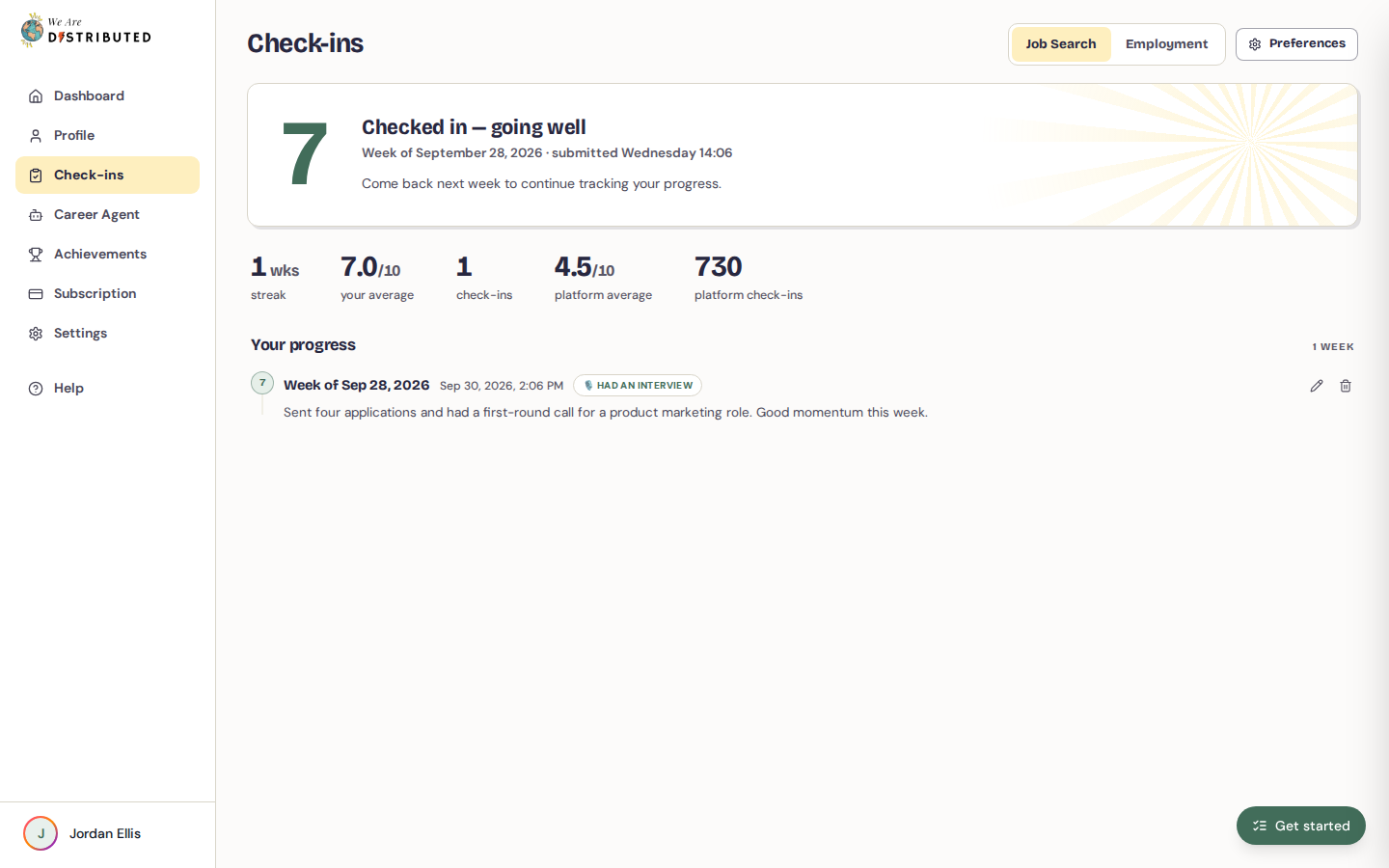
After you submit, the form is replaced by a Checked in message for the rest of the week.
Below the form, a row of stats shows how many weeks you've checked in, your average rating, your total check-ins, and the platform average and total check-ins so you can benchmark your experience against other members.
Your history appears under Your progress. Each entry shows the week, your rating, what happened that week and any context you added. If the We Are Distributed team replies to a check-in, the reply appears under the entry as Response from the team, and we also email it to you.
Edit or delete past check-ins
To edit a past check-in, click the pencil (Edit) icon on the entry, adjust the rating, what happened or the context, and click Save.
To delete a check-in, click the trash (Delete) icon on the entry, then click Delete to confirm. Deleted check-ins can't be recovered.
Set preferences
Click Preferences at the top of the Check-ins page to open Check-in preferences:
- Weekly check-in emails turns weekly email reminders on or off.
- Data retention sets how long your check-in data is kept, from 30 days to 2 years.
Click Save Preferences to apply your changes. You can also turn Weekly check-in reminders on or off from Settings.
Regular check-ins help you spot patterns in your job search—like which weeks were most productive or when you felt most challenged. Use this data to adjust your strategy. For peer support, you can also join job search support groups to share progress with members applying for the same roles.