
Sign in
Board of Directors uses your We Are Distributed account. If you're already signed in to your dashboard or another We Are Distributed app, it opens straight away. If not, you'll see Sign in to Board of Directors:
- Click Continue to account to sign in through your We Are Distributed account. You come straight back afterwards.
- Or enter your Email and your Password or login code, then click Sign in. If you've forgotten it, click Forgot it?.
- New here? Click Create an account, enter your Full name, Email and a Password of 8 or more characters, then click Create account. One account works across every We Are Distributed app.
Your name and plan show at the bottom of the sidebar. Click them to open your profile in the dashboard. On a phone, the pages are in a tab bar at the bottom of the screen.
Your people on Home
Home shows Your people: how many contacts you have, with you in the middle and your contacts around you.
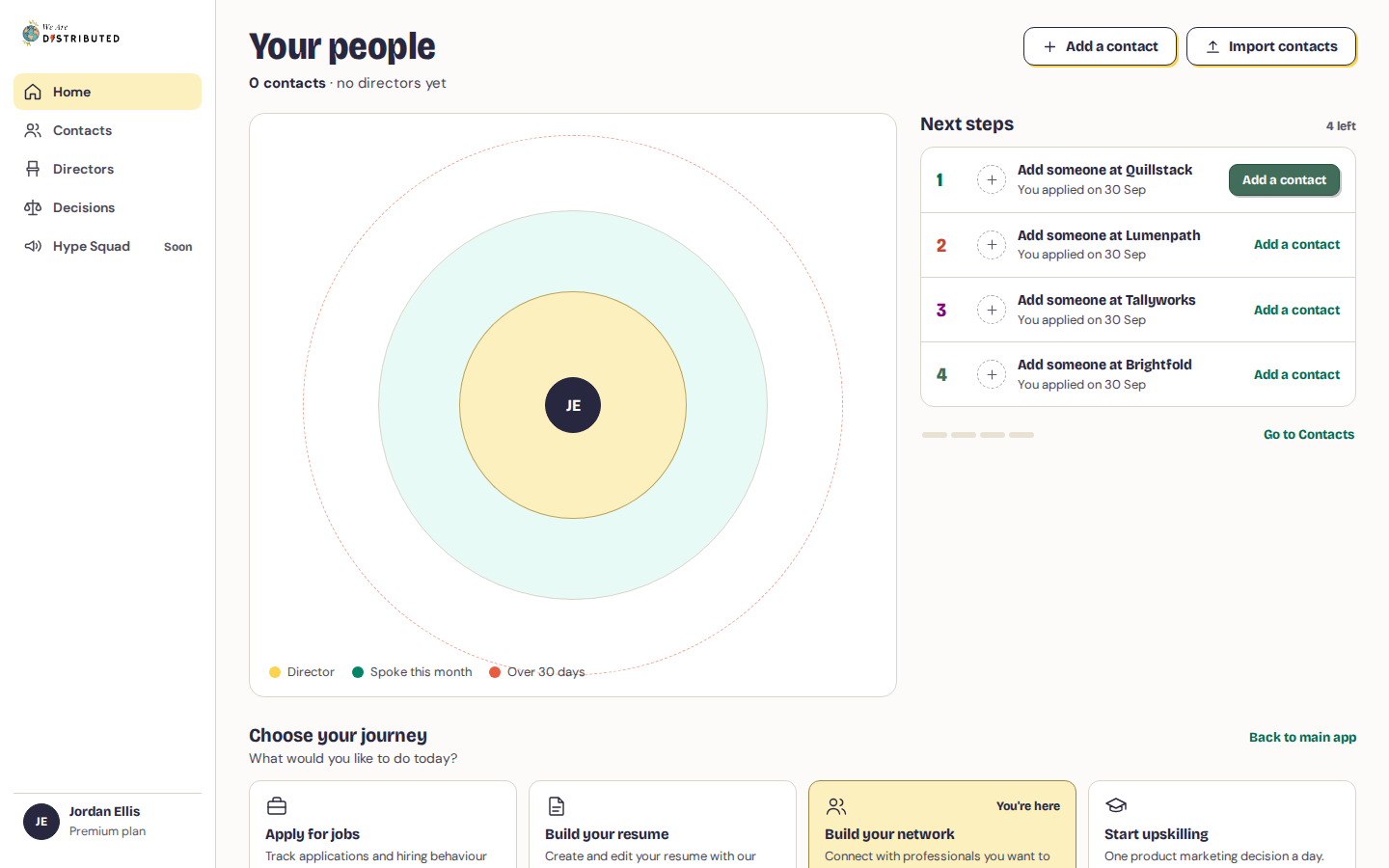
- People you've spoken to in the last 30 days, and people you haven't logged yet, sit on the inner ring.
- People you haven't spoken to for over 30 days drift to the outer ring. They're going cold.
Click a person to see when you last spoke, then click Log an interaction (or Log a catch-up for someone going cold) to record a conversation. If that person has a step under Next steps, Home takes you to the step instead.
Next steps
Next steps, next to your people, lists up to five things to do, in this order:
- Catch up with someone who's going cold, the quietest first. If you applied to or saved a role at their company in the Job Tracker, it says so.
- Next steps you've set for a contact. Ones with a date come first, soonest first.
- Add someone at a company you applied to or saved a role at in the Job Tracker, where you don't know anyone yet.
Click Log it, Log a catch-up or Add a contact on a step to do it there and then. Steps you finish are struck through and marked Done until you open Home again.
If you have no contacts yet, click Add a contact or Import contacts at the top of Home. Learn how to add, log and import contacts.