
Open your Track Record
In your dashboard, click Track Record in the sidebar. You can also click Post your week on the Career Feed at talent.wearedistributed.org.
How often you can post
| Plan | Posts |
|---|---|
| Free | One a month |
| Lite, Plus, Extra and Premium | One a week |
Weeks run Monday to Sunday. Once you've posted, the page shows when your next post opens.
Write a post
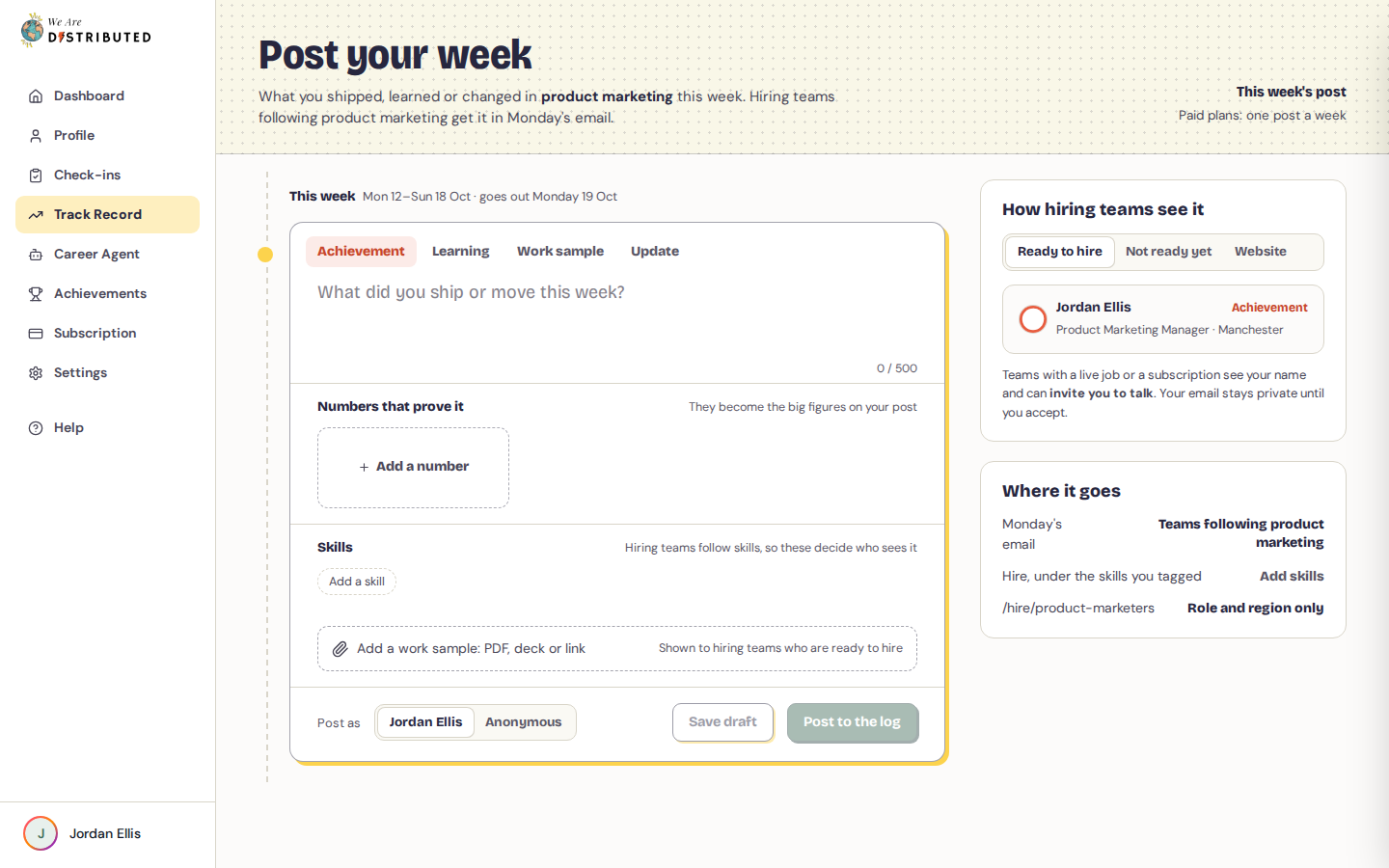
- Choose the kind of post: Achievement, Learning, Work sample or Update.
- Write what happened, in up to 500 characters.
- Under Numbers that prove it, click Add a number to add up to three figures, each with a label. They become the big figures on your post.
- Under Skills, add up to five skills. Skills suggested from what you wrote show under From your post, or click Add a skill to search. Hiring teams follow skills, so these decide who sees your post.
- Optional: click Add a work sample: PDF, deck or link to attach a file or a link. Only hiring teams who are ready to hire see it.
- Under Post as, choose your name or Anonymous.
- Click Post to the log. To finish later, click Save draft.
Who sees your post
On the right, How hiring teams see it previews your post three ways:
- Ready to hire: teams with a live job or a subscription see your name and can invite you to talk. Your email stays private until you accept. If you post anonymously, they see your role, years of experience and region instead of your name.
- Not ready yet: other teams see your role, years of experience and region, never your name.
- Website: anyone can read it on the public product marketers page, with your role and region only.
Where it goes shows that your post goes in Monday's email to hiring teams following product marketing, and on Hire under the skills you tagged.
To control who can see you, and to hide from particular companies, see Use the Career Feed.
Was this guide helpful?